
This guide covers how to connect TriNet to Atlassian Service Collection, the use cases it unlocks, and the two integration patterns you’ll set up: a scheduled Assets sync and an event-based webhook integration.
This integration pulls employee records from TriNet’s People/Workers API into a JSM Assets schema.
Setup steps
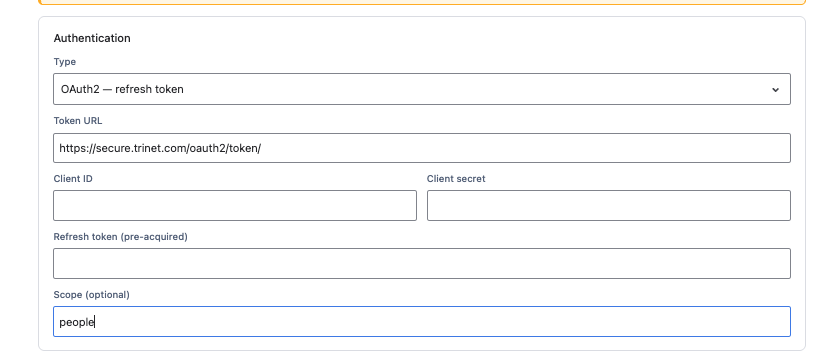
https://secure.trinet.com/oauth2/token/) and set the scope to people.GET request against https://api.trinet.com/core/companies/{company_id}/people, with a response data path of data.data. Add includes=department,manager if you want related object details expanded.next_url for large result sets — configure OnLink to follow it so every employee record is imported, not just the first page.employee_number) so OnLink can match and update existing records rather than duplicating them. Typical mappings:key:employee_number → Employee Numbermap:preferred_name → Namemap:work_email → Emailmap:status → Statusmap:title → Job Titlestatus=active to limit the import to active employees only (confirm the parameter is supported before relying on it).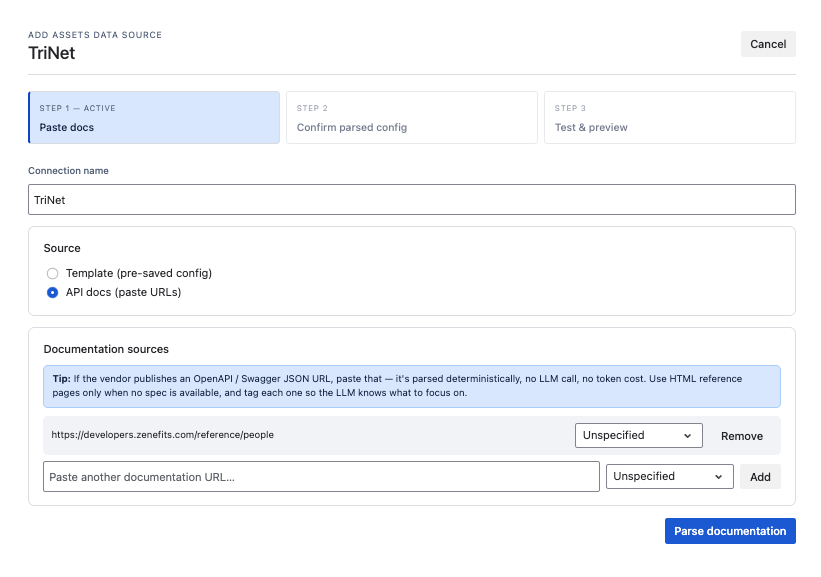
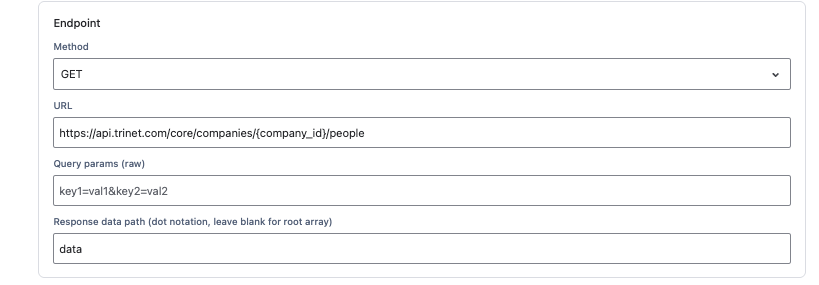
Full configuration reference: TriNet to JSM Assets
We will show you how to configure a TriNet webhook and connect it to OnLink so employee events can create tickets in the configured Jira project or create a Asset Object.
Setup steps
   config:auth_scheme=header_token
   config:auth_token=<12-character-random-token>
Generate a random 12-character token, and treat it as a secret — never commit it to source control. 3. Register the webhook in TriNet. Work with your TriNet administrator to add the OnLink webhook URL as an endpoint subscribed to the relevant events (e.g., new hire). 4. Map the payload to Jira fields. For example:
   key:data.id=customfield_10062
   map:data.first_name=customfield_10063
   map:data.last_name=customfield_10064
   map:data.title=customfield_10065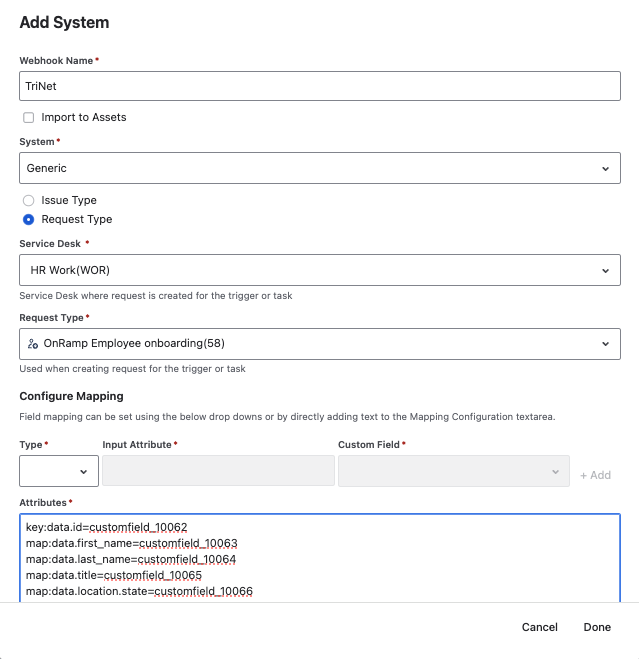
Note: If you check the import to Assets option, you can use the same integration to create an Asset object.
Full configuration reference: TriNet Webhook
If you run HR on TriNet and want to stop manually re-keying employee data and onboarding tasks into Atlassian Service Collection, Give OnLink a try.
1. Does TriNet integrate directly with Atlassian Service Collection (Jira Service Management)? TriNet and Atlassian Service Collection don’t have a built-in connector. OnLink provides a native connection to move data between TriNet’s API and JSM Assets or Jira tickets.
2. How do I sync TriNet employee data into JSM Assets? Configure an OnLink Assets data source with OAuth credentials from TriNet, point it at TriNet’s People API, map fields (like employee number, name, email, and title) to your Assets schema, and set a unique key field so records update instead of duplicating.
3. Can a new hire in TriNet automatically create a Jira ticket? Yes. Set up an OnLink webhook mapping subscribed to TriNet’s new hire event, and configure it to create a Jira ticket and/or a JSM Assets object automatically as soon as the event fires.
4. What’s the difference between the Assets sync and the webhook integration? The Assets sync pulls employee data from TriNet on a schedule to keep your Assets schema current. The webhook integration reacts in real time to specific TriNet events (like a new hire or termination) and immediately creates or updates tickets and asset objects.
5. What do I need before setting up the TriNet–OnLink integration? TriNet OAuth credentials (or webhook access) from your TriNet administrator, OnLink installed on your Atlassian site, and a JSM Assets schema or Jira project ready to receive the data.