Import employee records from UKG Pro into Jira Service Management Assets with OnLink, link them to managers, Jira users and devices, and give IT the context it needs before the new VP walks in.
Sarah (HR): “Morning, Mike! Is the laptop ready for our new VP of Marketing? She’s in the lobby.”
Mike (IT): “The new who? I thought she started on the first!”
Sarah: “We moved her start date up last Tuesday. I’m pretty sure I sent you a ping… or a sticky note?”
Mike: “No ticket, no laptop imaged, no badge. And did we ever get the iPad back from Dave in Sales?”
Sarah: “Dave? He left two weeks ago. Did nobody tell you?”
The fix is not more pings. It is getting the HR record from UKG Pro into the place IT already works: Jira Service Management Assets.
Why Assets
Assets is more than a hardware tracker. It can be the operational graph of your organization: who works here, who they report to, which devices and access they hold. Unlike a spreadsheet, it is referenced directly on Jira tickets and is searchable in Rovo.
What employee data in Assets gives you
Contextual support
When someone raises a request, the agent sees their department, manager and every assigned device without asking a single question.
Onboarding and offboarding automation
Provision hardware by role or department, and run a report of everything assigned to a leaver for recovery.
Approval workflows
Map managers to employees in Assets and route Jira approvals to the right supervisor automatically.
Employee chat and self-service
Virtual agents understand who is asking and look up their assignments in Assets.
Define your Assets schema
Before importing, create the destination object types. The attributes below are an example; shape them to your own requirements.
1. Employee object
Attribute
Type
Notes
Name
Text
Worker ID
Text
Unique key
Email
Text
Jira User
User
Links the object to an Atlassian account
Title
Text
Manager
Object reference
Another Employee object
Hire Date
Date
2. Hardware object
Attribute
Type
Notes
Serial Number
Text
Model
Text
Assigned To
Object reference
The Employee object
3. The dependency graph
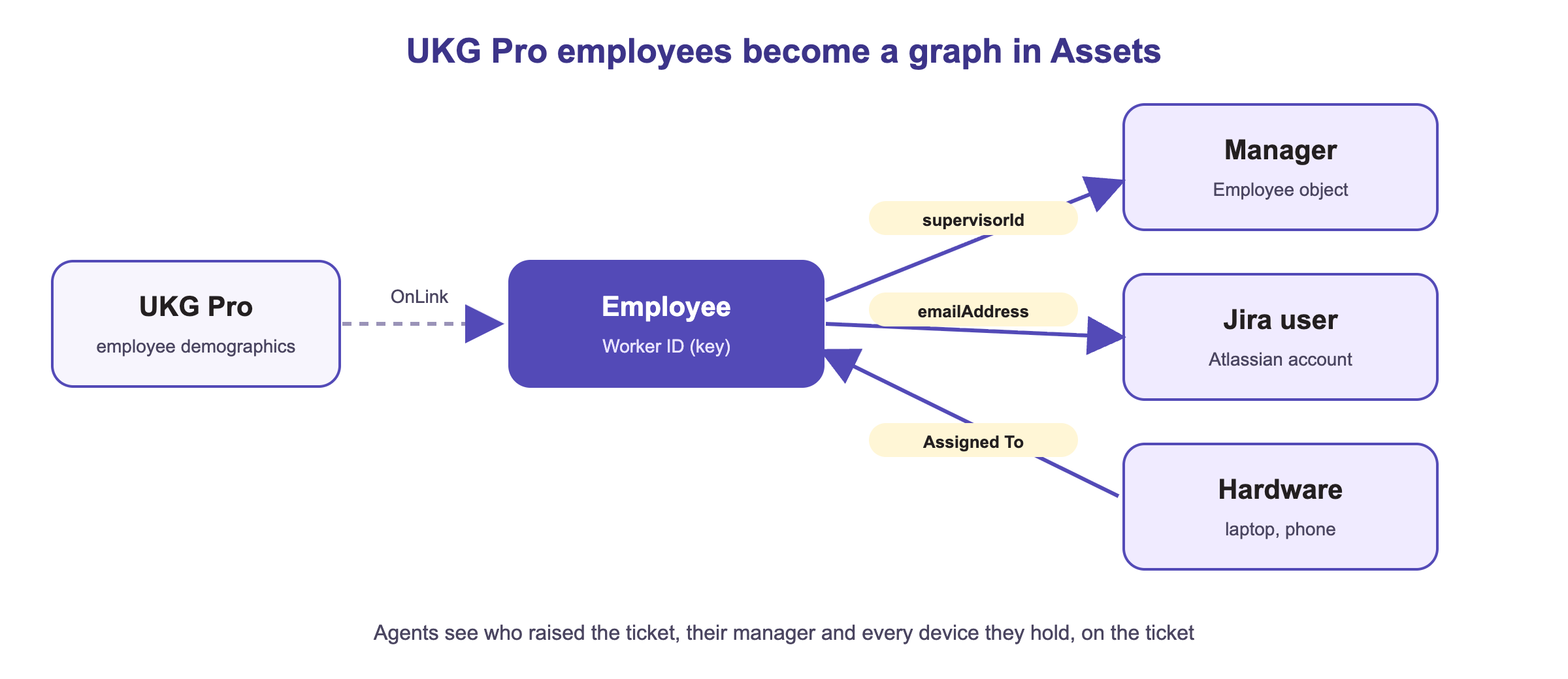
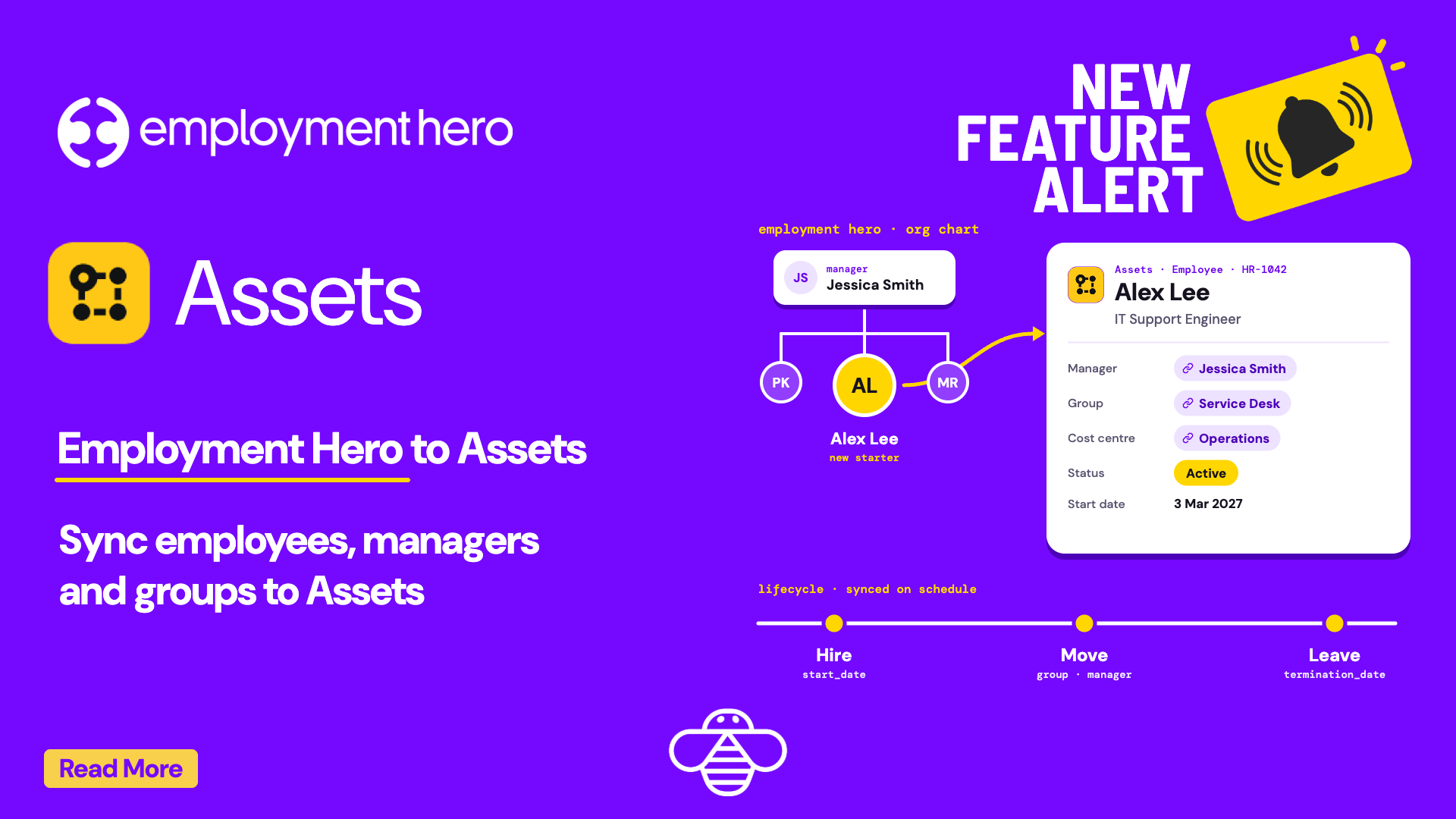
Object references turn the records into a graph: Employee → Manager gives the org hierarchy, and Device → Employee shows who owns what. Combined with the Jira issue, that graph is what gives agents context to resolve requests quickly.
The employee graph: UKG Pro data linked to managers, Jira users and devices
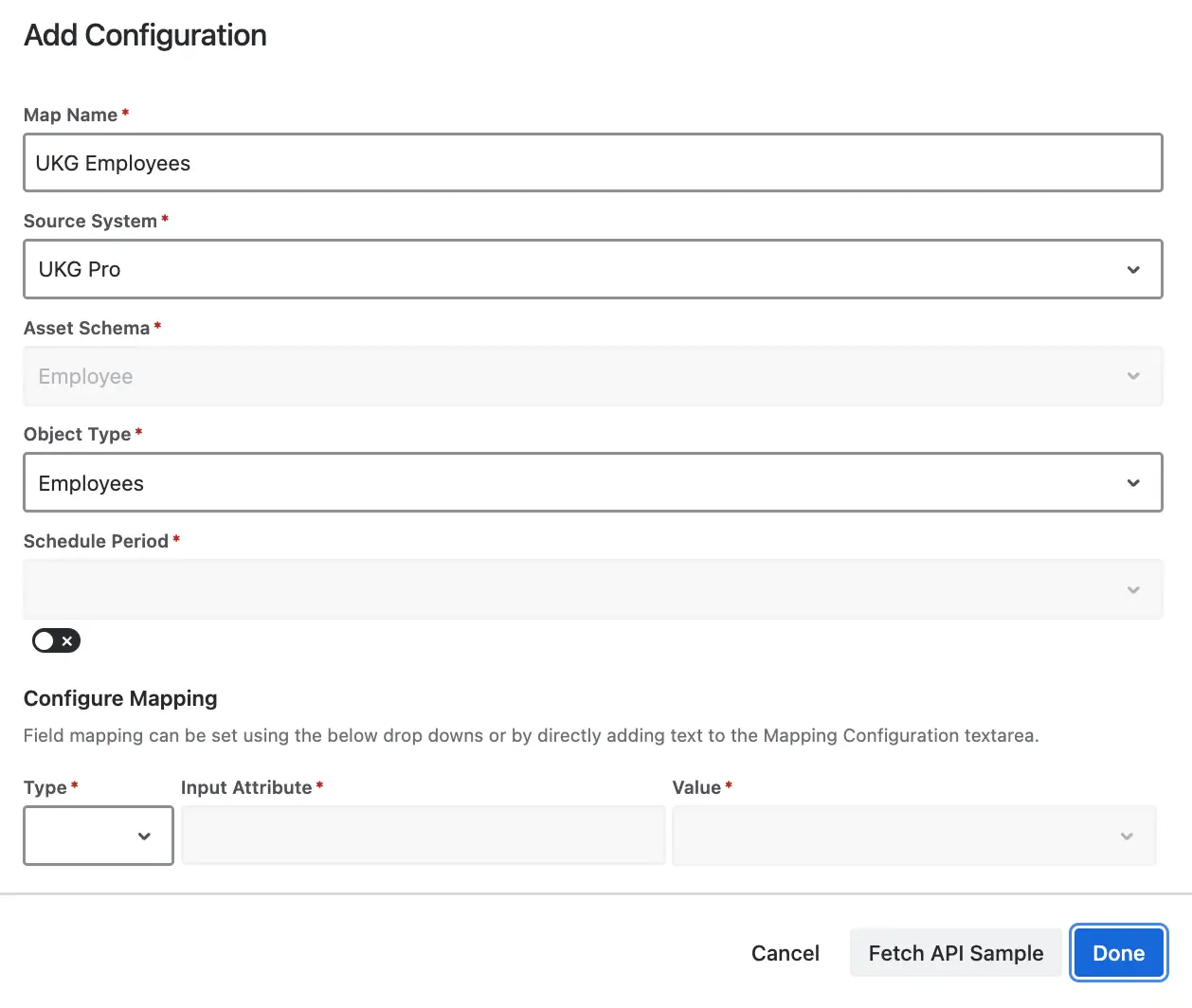
Import UKG Pro data with OnLink
OnLink has a native UKG Pro integration that handles authentication, paging and field lookups, so you only define the data.
Step 1: Connect UKG Pro
Field
Where to find it
URL
The web service URL under Menu > System Configuration > Security > Web Services. Endpoints usually share a host such as useast1-gateway.ukg.net or service4.ultipro.com. See the UKG documentation.
API key
The Customer API Key for your Pro HR tenant, on the same Web Services page.
Can I filter which UKG Pro employees are imported?
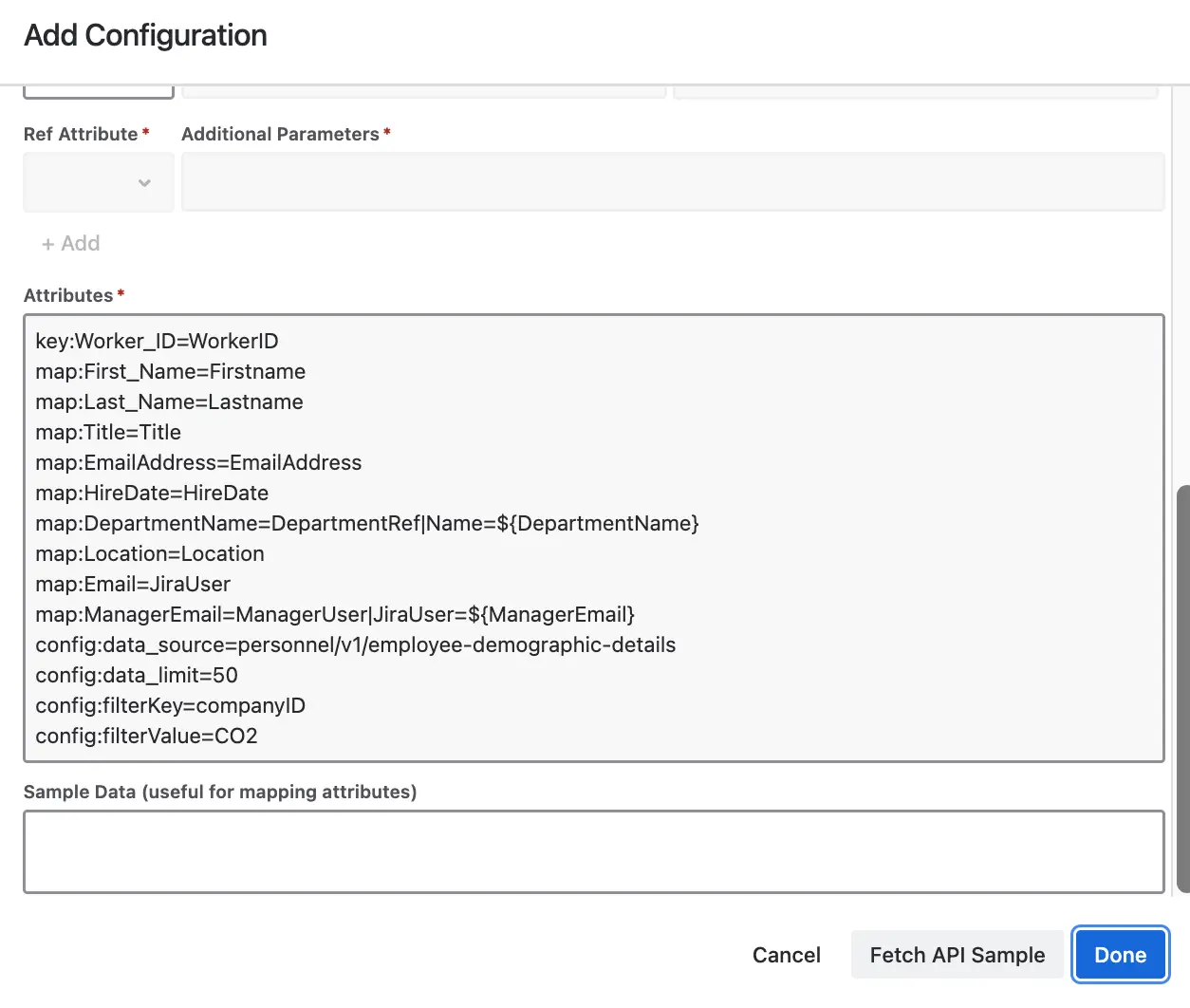
Yes. Use config:filterKey and config:filterValue to import only active employees or specific departments.
How does OnLink link an employee to their Jira account?
With map:emailAddress=JiraUser. OnLink takes the email from UKG, finds the matching Atlassian user and links them, so agents can see the requester’s assets.
Is the UKG Pro sync real time?
It runs on a schedule you set, such as hourly or daily, and you can run a manual sync whenever you need an immediate update.
What happens with duplicate employee records?
The key line (key:employeeId=WorkerID) prevents duplicates: if the Worker ID exists, OnLink updates it; otherwise it creates a new object.
Do I need to be a developer?
No. OnLink is a no-code app for admins. If you can map fields in a text box, you can set up this integration.
On this page
UKG Pro to Assets
OnLink imports UKG Pro employees into JSM Assets on a schedule, no code needed.