Implementation Guide: Syncing NetSuite Employee Data to Assets
A practical guide to syncing employee records from NetSuite into Jira Service Management Assets with OnLink, then using them to automate transfers and offboarding.
NetSuite already knows who works where, for whom and in which role. Syncing that record into Jira Service Management Assets with OnLink lets IT act on HR changes automatically instead of waiting for an email.
Frictionless onboarding and offboarding
New employees sync with department, manager and location, so automation can assign laptops by job title, grant licences by department and open reclamation tickets when someone is marked Inactive.
Better service desk context
Role changes, promotions, name updates, joiners and leavers all reach Assets, so agents see the current picture on every ticket.
Step-by-step implementation
Step 1: Connect NetSuite
Open OnLink in Jira (Manage your apps or the Apps menu).
Go to Connections and select Create New Connection.
Choose Other HR and pick NetSuite from the list.
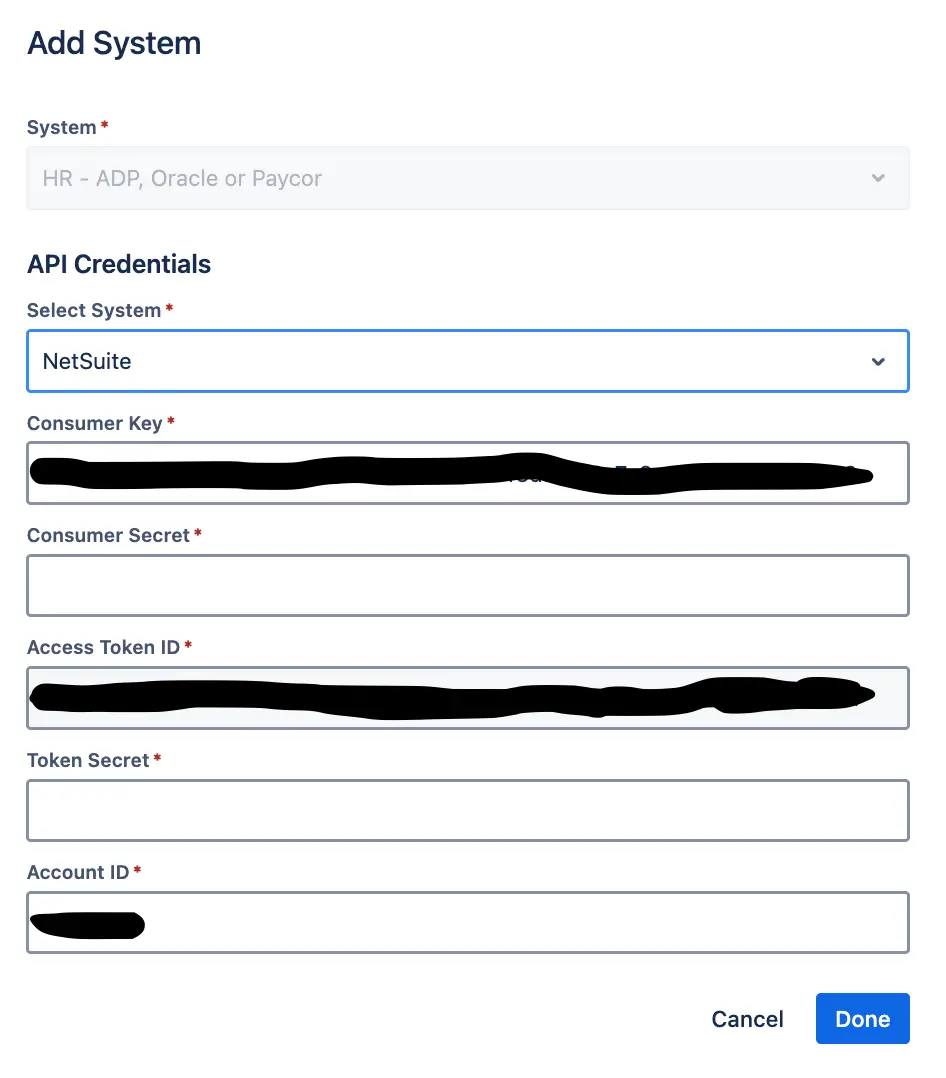
Enter your NetSuite credentials and API details to authorize the connection.
OnLink connection settings for NetSuite
Step 2: Configure the import
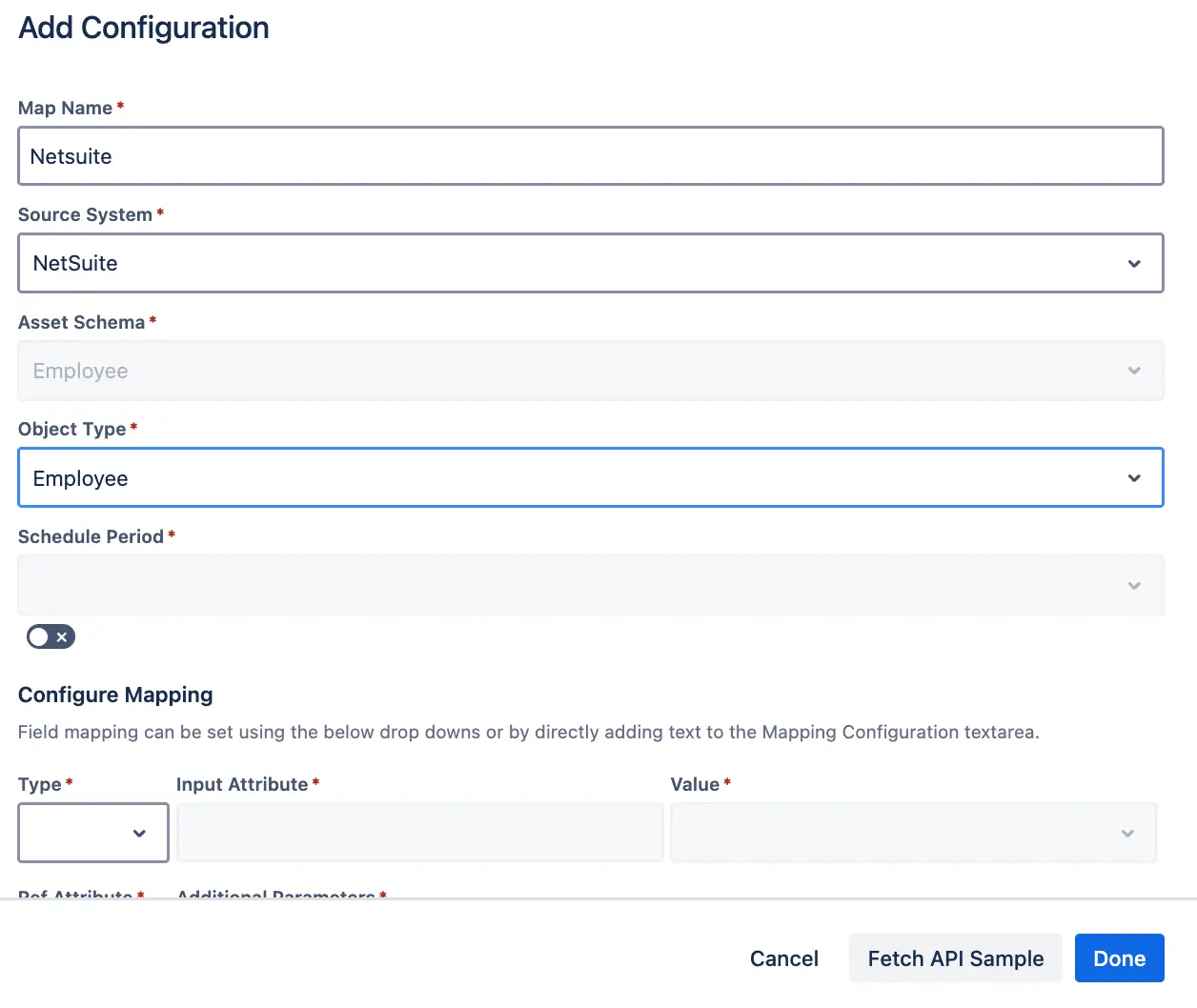
In OnLink, open Import Configuration.
Choose the NetSuite connection as the source.
Select the target object schema in Assets (for example, IT Employee Assets).
Select the object type to populate (for example, Employees).
OnLink import configuration for NetSuite employees
Step 3: Map NetSuite fields to Assets attributes
Prefix
Use
key:
Required. The unique identifier; OnLink updates matching records instead of creating duplicates.
map:
Standard text or value attributes.
config:
Special settings, such as expanding related objects.
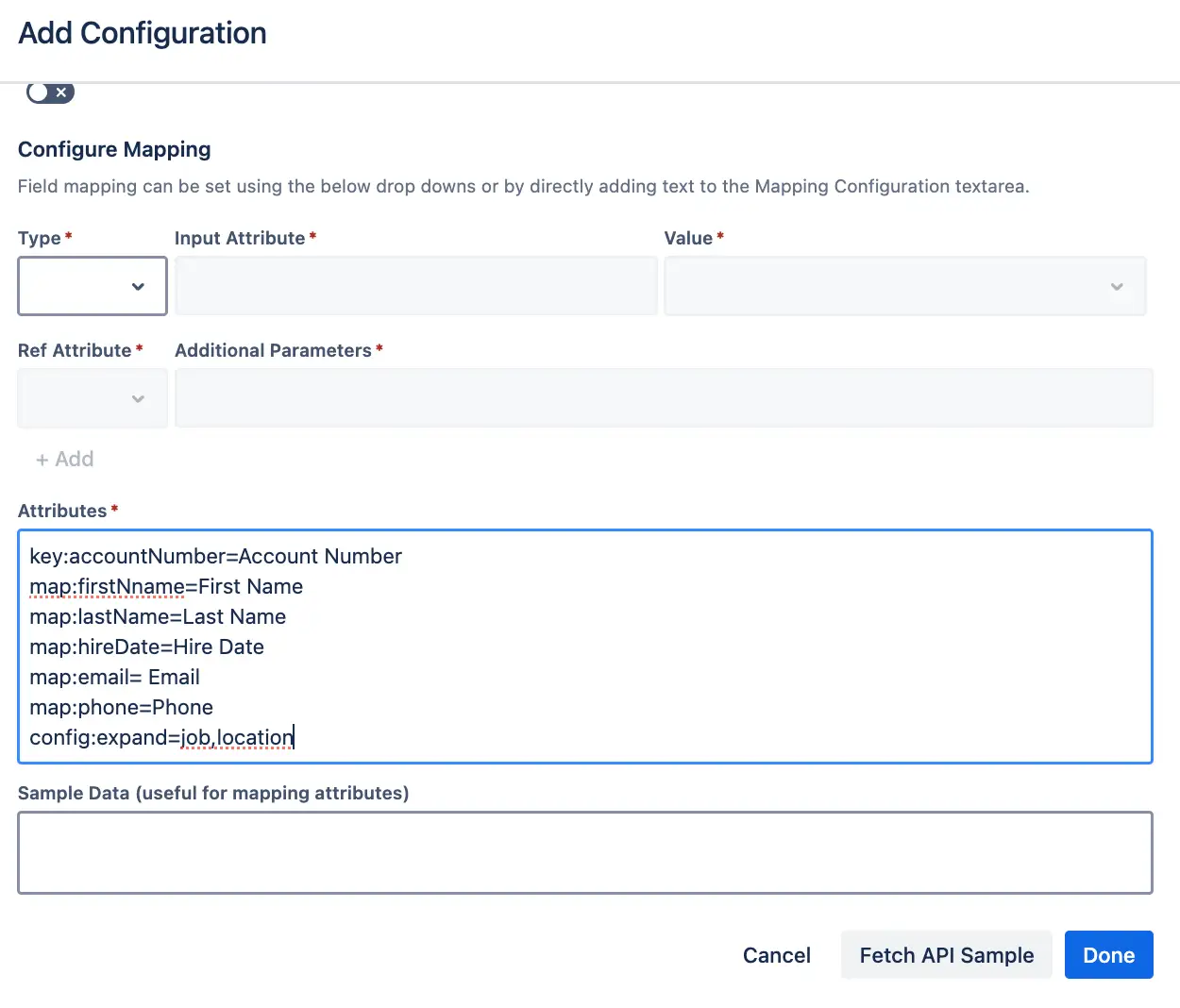
Paste this into the mapping text area and change the right-hand names to your attribute names:
					key:id=Employee ID
map:firstName=First Name
map:lastName=Last Name
map:email=Email
map:phone=Phone Number
map:title=Job Title
map:hireDate=Start Date
config:expand=job,location
Pro tip
config:expand=job,location pulls in related data such as the job role or office location, not just the top-level employee profile.
Field mapping from NetSuite employees to Assets
Real-world use case: the department transfer
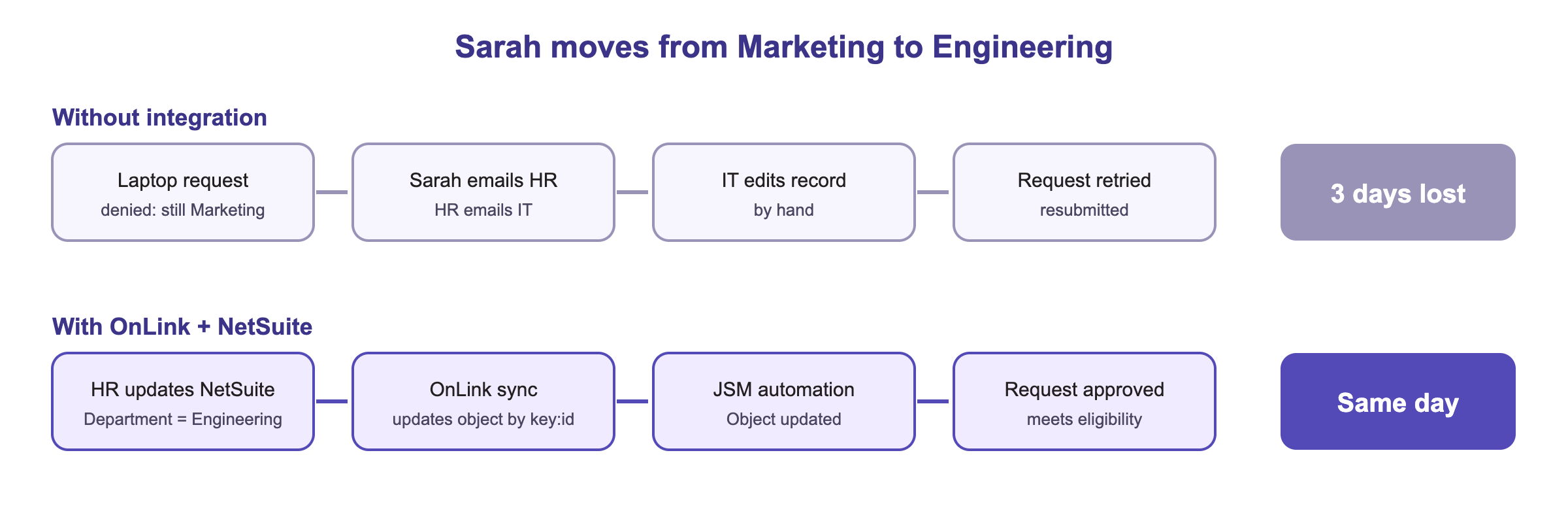
Sarah moves from Marketing to Engineering and asks for a high-performance laptop.
The department transfer, with and without the NetSuite sync
1. NetSuite update
HR changes Sarah's department to Engineering in NetSuite.
2. OnLink sync
OnLink finds Sarah's object in Assets by key:id and updates the Department attribute.
3. JSM automation
A rule fires on Object Updated where Department is Engineering.
4. Result
Her developer-laptop request is approved automatically because her object now meets the eligibility criteria.
NetSuite field
Mapping
Assets attribute
Why it matters
id
key:
NetSuite ID
Identifies Sarah uniquely
email
map:
Email
Matches her Jira user
department
map:
Department
Updates as soon as HR changes it
Automate offboarding with a JSM rule
Once NetSuite data is syncing, one automation rule turns a status change into an equipment-reclamation ticket.
Trigger: Object updated
Schema IT Employee Assets, object type Employees, AQL: Status WAS "Active" AND Status CHANGED TO "Inactive". It only fires when the status actually flips, so no duplicate tickets.
Condition: Object match
Optionally check they hold assets, e.g. AQL: outboundReferences HAVING objectType = "Laptops".
Action: Create issue
Project IT Service Desk, type Service Request, with the employee and their assigned assets in the description.
					Summary: OFFBOARDING: {{object.Name}} - ({{object.Department}})

The following employee has been marked Inactive in NetSuite.
Employee: {{object.Name}}
ID: {{object.Employee ID}}
Manager: {{object.Manager.Name}}
Current assigned assets:
{{#object.outboundReferences}}
* {{Name}} ({{Status}})
{{/}}
Please initiate equipment reclamation immediately.
Syncing assets into JSM is really tough . . . until you use this app. This app allows you to connect with many different asset sources and significantly simplifies the sync process.
Alex Ortiz
Atlassian Community Leader · Marketplace review, Jun 2026
How often does OnLink sync NetSuite data to Assets?
On a schedule you set. Most teams run it daily or hourly, depending on how often HR data changes.
Does the integration support NetSuite custom fields?
Yes. Any custom field exposed through the NetSuite REST API can be mapped with map:yourCustomField=AssetAttribute.
What happens in Assets when an employee leaves?
When the status changes to Inactive or Terminated in NetSuite, OnLink updates the mapped Status attribute. Automation can then open an offboarding ticket or archive the object.
Can I import related objects like locations or departments?
Yes. Use config:expand (for example config:expand=location). Separate object types for locations and departments give the cleanest structure.