

This article walks through importing host data from the Dynatrace OneAgents API into JSM Assets using OnLink, covering authentication, field mapping, pagination, and filtering.
OnLink connects to the Dynatrace environment API, fetches OneAgent host records as JSON, and maps the fields you choose to attributes on a JSM Assets object type. The flow is:
Dynatrace uses API tokens for authentication. A token has three dot-separated components:
dt0s01.ST2EY72KQINMH574WMNVI7YN.G3DFPBEJYMODIDAEX454M7YWBUVEFOWKPRVMWFASS64NFH52PX6BNDVFFM572RZMGenerate the token in Dynatrace (see the Dynatrace API authentication docs) with this scope:
| Scope | Purpose |
|---|---|
oneAgents.read | Grants access to GET requests of the OneAgents API |
In the OnLink data source configuration:
GET and the URL to your environment’s OneAgents endpoint:GET https://{your-environment-id}.live.dynatrace.com/api/v1/oneagentshosts — the API wraps host records in a hosts array.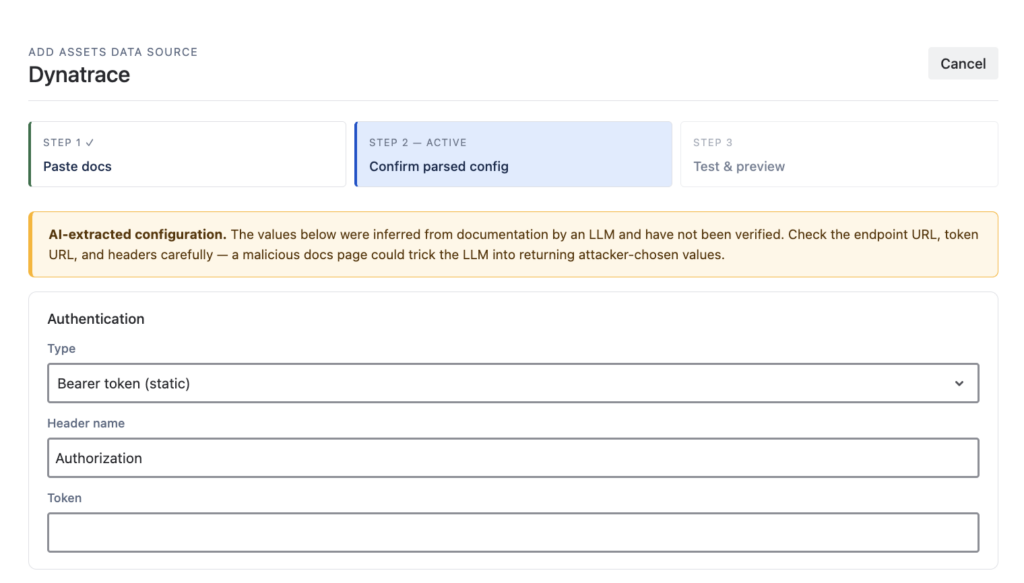
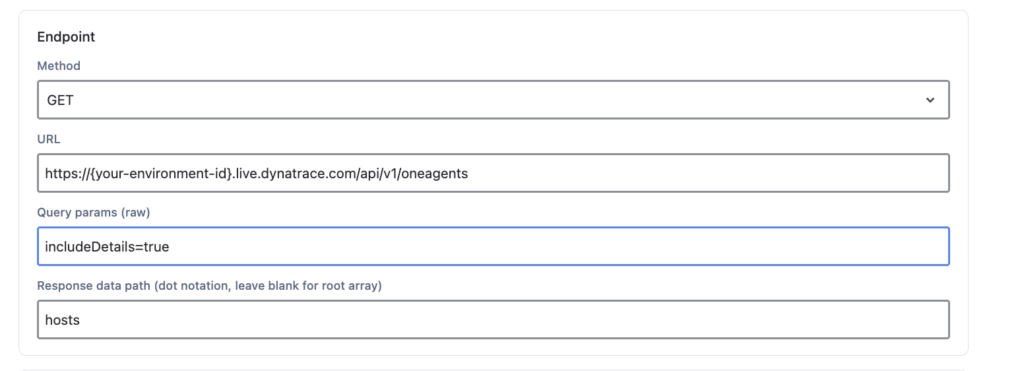
Once sample data is returned, map the JSON fields to your Assets object type attributes using OnLink mapping statements. Two statement types matter here:
key: — identifies the stable unique value used to match and update existing Assets objects. Always define exactly one.map: — copies a JSON field into an Assets attribute.Example mapping for OneAgent hosts:
| Mapping | Purpose |
|---|---|
key:entityId=Entity ID | Uses the Dynatrace entityId as the unique key so re-imports update rather than duplicate objects |
map:displayName=Device Name | Maps the host display name to Device Name |
map:osType=OS Type | Maps the operating system type |
map:osVersion=OS Version | Maps the OS version |
map:hypervisorType=Hypervisor Type | Maps the hypervisor type |
A few tips:
key: mapping first, then add map: entries for each field you want in Assets.hostInfo), inspect the sample output and use the field path supported by the OnLink mapping configuration.You usually don’t want every host Dynatrace has ever seen. The OneAgents endpoint supports query parameters to limit results server-side — see the OneAgent API parameter reference.
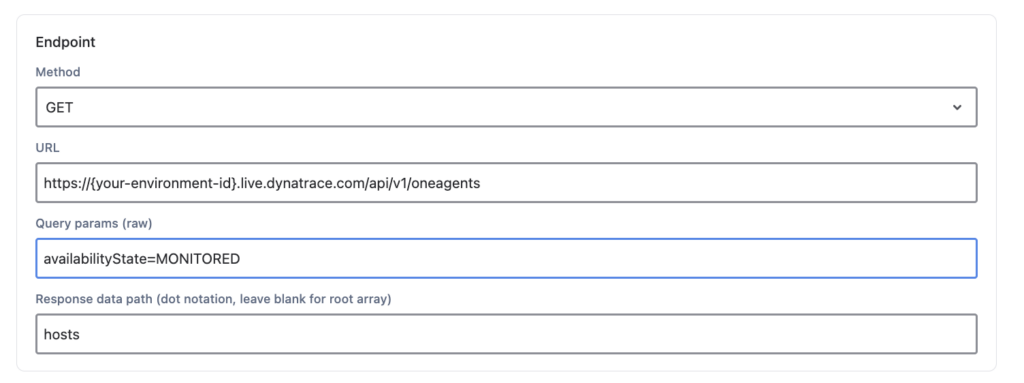
For example, to import only hosts that are currently monitored, add:
availabilityState=MONITOREDOther useful filters include narrowing by management zone, network zone, or update status. Filtering at the API level keeps imports fast and avoids stale or decommissioned hosts landing in your CMDB.
Full step-by-step documentation: Dynatrace OneAgent to JSM Assets
If you are looking to import data from Dynatrace OneAgent without any on-premise installation or Adapter client and completely managed within your Atlassian JSM instance, give OnLink a try.