Import your Apple device inventory from Addigy into Jira Service Management Assets with OnLink: create an API token, connect it, map the fields and schedule the sync. No code required.
Addigy manages your Macs, iPhones and iPads. Jira Service Management is where your agents work. OnLink imports the Addigy device inventory into JSM Assets on a schedule, so every Apple device is visible next to the people and tickets it belongs to, with no code.
One inventory
See Apple devices in the same Assets schema as your laptops, cloud resources and software, instead of in a separate MDM console.
Context for agents
Agents see the reporter's device model, serial number and online status on the ticket, which speeds up resolution, compliance checks, vulnerability audits and replacements.
Always current
Scheduled imports update existing records by device ID, so nobody types serial numbers into Assets again.
Common use cases
Incident management: link a user’s Mac to the ticket to check warranty status or specs.
Asset lifecycle tracking: use Online and Last Online to find unused or lost equipment.
Reporting and compliance: report on device models and status for audits and refresh cycles.
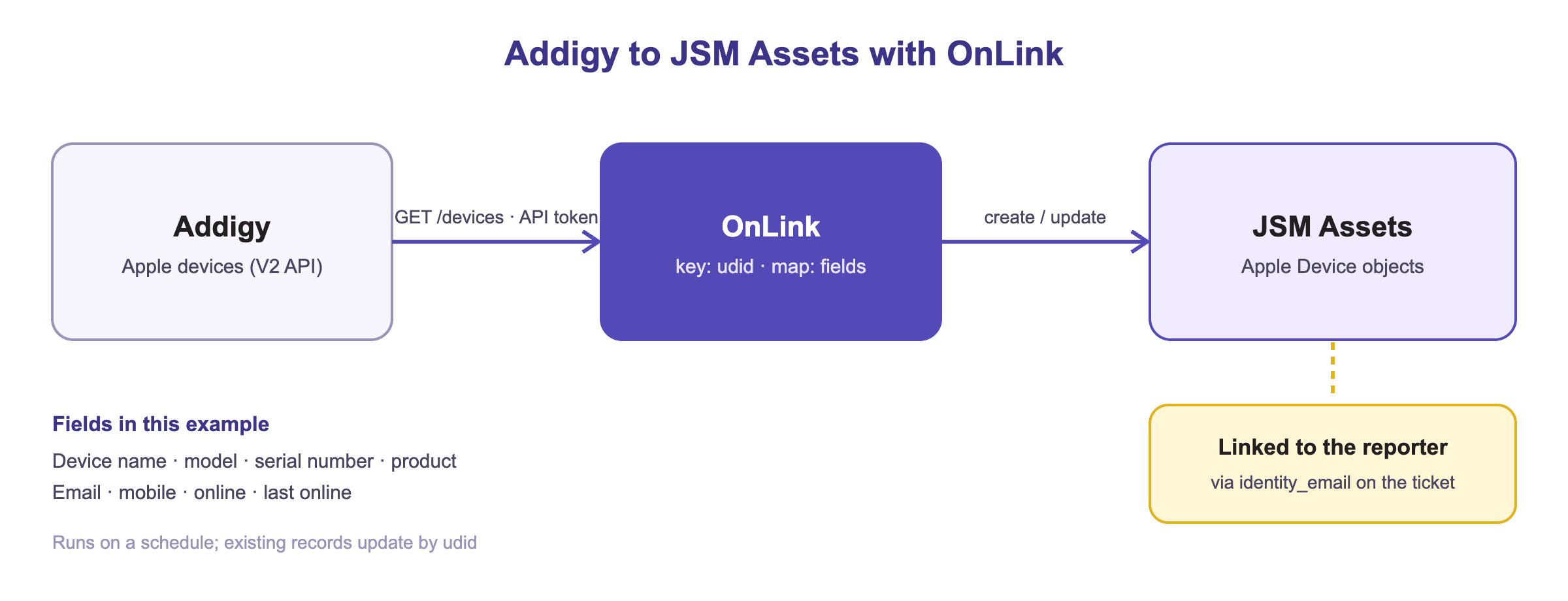
How Addigy device data reaches Assets: one API call, one object type, updated by udid
Step 1: Create an Addigy API token
Log in to Addigy and go to Account > Integrations.
In the Addigy API section, open the V2 tab.
Click New API Token.
Choose the permissions to allow. Reading device data is all OnLink needs.
Copy the token and store it securely; Addigy will not show it again.
Least privilege
Grant read-only device permissions only. Field and permission details are in the Addigy API v2 documentation.
Step 2: Connect Addigy in OnLink
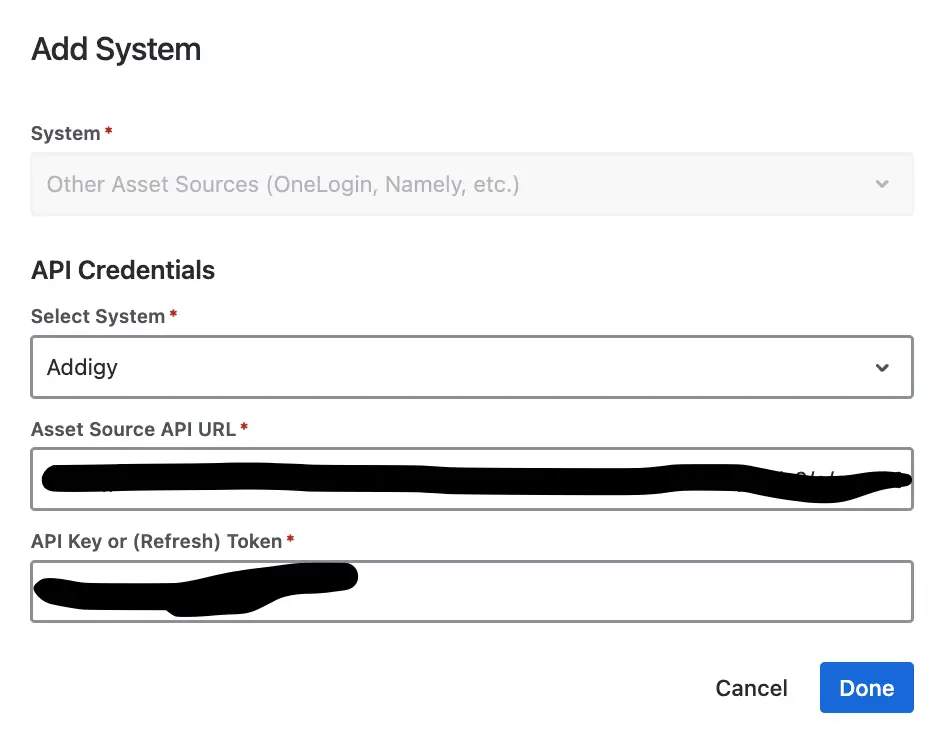
In Jira, open OnLink (Manage your apps) > Connections.
Click Add System and choose Other Data Sources.
API URL: use the V2 format below, with your Addigy organization ID.
API Key: paste the token from step 1.
https://api.addigy.com/api/v2/o/<your org id>
OnLink connection: Addigy V2 API URL and token
Step 3: Map Addigy fields to Assets
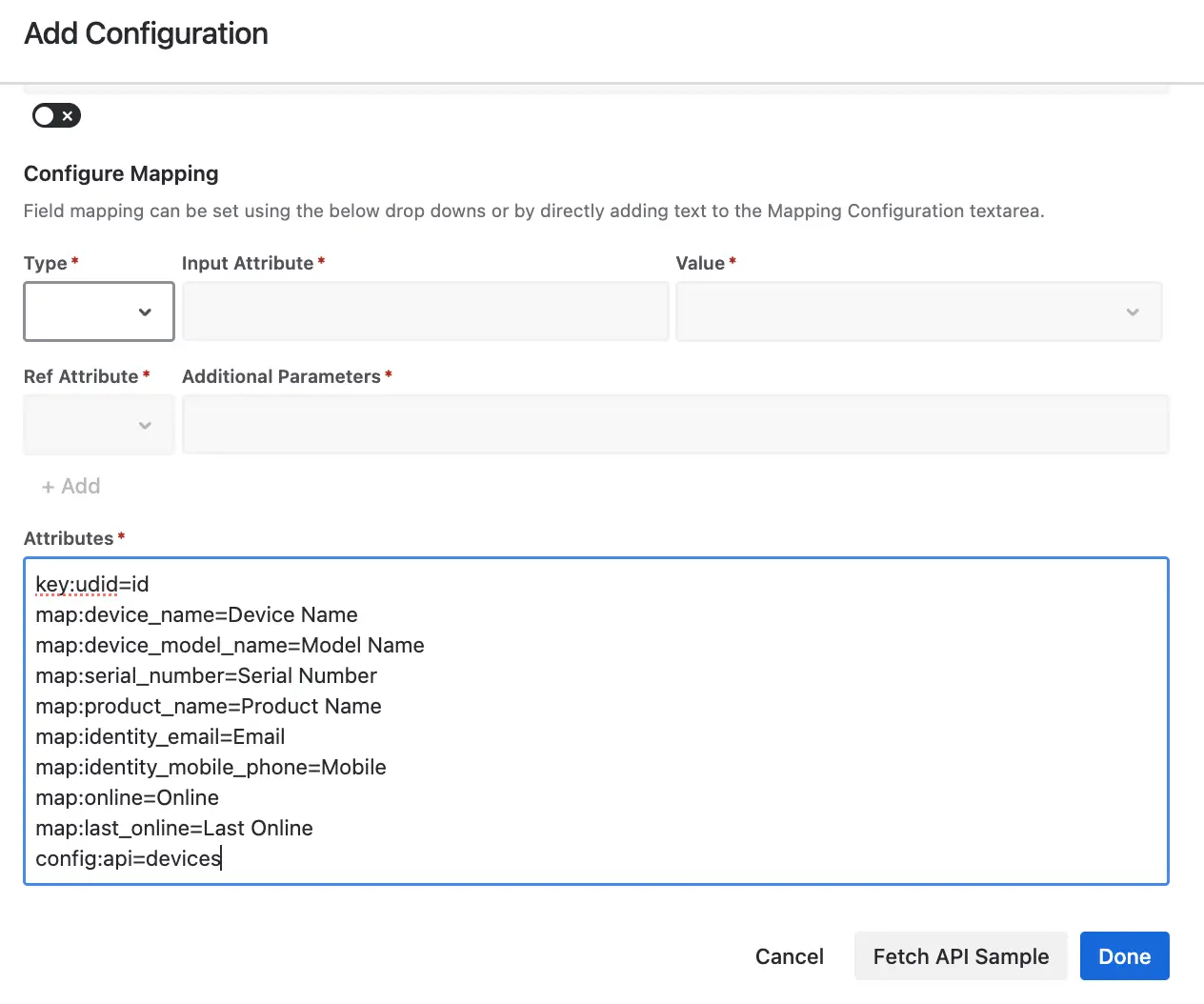
The mapping tells OnLink which Addigy field fills which Assets attribute. This example imports the core device fields; any field in the Addigy V2 API can be added the same way.
					key:udid=id
map:device_name=Device Name
map:device_model_name=Model Name
map:serial_number=Serial Number
map:product_name=Product Name
map:identity_email=Email
map:identity_mobile_phone=Mobile
map:online=Online
map:last_online=Last Online
config:api=devices
What each line does
Key or Map
Description
key:udid=id
Defines the unique identifier for the record. The keyword key tells OnLink to use udid to identify and update existing records.
map:device_name=Device Name
Maps the Addigy field device_name to the Assets attribute "Device Name".
map:device_model_name=Model Name
Maps the Addigy field device_model_name to the Assets attribute "Model Name".
config:api=devices
Specifies the configuration to pull the list of devices. Any fields from the Addigy V2 API can be included.
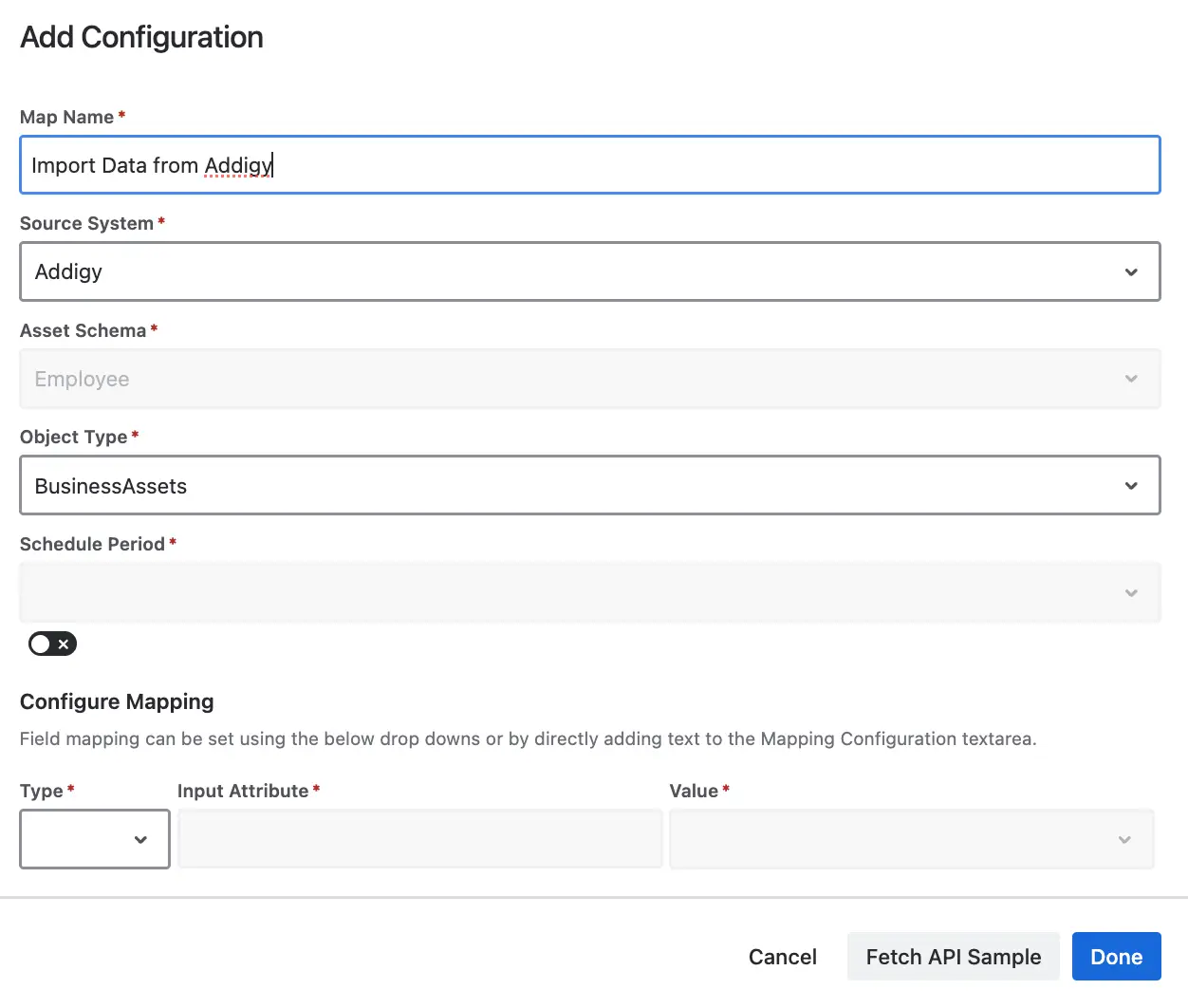
OnLink import configuration for Addigy devices
Attribute mapping from Addigy fields to Assets
Map more fields
Add a line per field with map:source_field Target Attribute. Use identity_email to reference the user object so devices link to people.
Step 4: Test, import and schedule
Get Data
Run Get Data in OnLink and check the job log for the device count returned by Addigy.
Import
Click Import to push the records into Assets, then spot-check a few devices against Addigy.
Schedule
Set a schedule so Assets stays in step with Addigy; records update by udid, so nothing is duplicated.
The app handles multi-source data imports into Assets well, overcoming gaps in other native solutions. Support has been responsive, and documentation is clear and thorough.
Does OnLink support importing Addigy data to Assets?
Yes. OnLink has a no-code integration for Addigy. Any data available in the Addigy V2 API can be imported; set config:api devices to choose the API source.
What is the correct Addigy API URL format?
Use the V2 format: https://api.addigy.com/api/v2/o/<your org id>.
Which Addigy permissions does OnLink need?
Read access to device data is enough. Follow least privilege when you create the API token.
How do I test my mapping before going live?
Use the manual buttons in OnLink: click Get Data, check the logs, then click Import to push the data to Assets.
Can I map fields that are not in the example?
Yes. Any field in the Addigy V2 API documentation can be mapped with the map:source_field Target Attribute syntax.
On this page
Addigy to Assets in minutes
OnLink imports Addigy devices into JSM Assets on a schedule, no code needed.