OnLink · Employee lifecycle
Before you automate HR and IT requests, or hand them to AI, the workflow needs context: who the employee is, what access they hold and what devices they own. That context is a graph of people, identities and devices, and Jira Service Management Assets is a natural place to build it.
This post covers why automation without context fails, the three data layers of the context graph, how Assets holds it, and two worked examples.
If your organization is buzzing with HR requests, that’s a good thing. It means people are moving, growing, changing roles, taking on new responsibilities. The volume of access-related change requests is, in a strange way, a vital sign of organizational health.
But here’s the uncomfortable truth: that same volume of requests, handled carelessly or blindly automated using AI, is also one of the most significant threat surfaces in modern enterprise security.
One over-provisioned account. One forgotten offboarding step. One group assignment routed to the wrong approver. The consequences can range from a compliance violation to a full-blown security incident.
There is enormous pressure to “let AI handle it.” And in many workflows, that pressure is justified. But access governance is different. It sits at the intersection of people, identity, hardware, and data.
Consider what happens when an automated workflow lacks context:
Before you automate, you need to see clearly. Before AI can assist, it needs something real to work with.
The solution is deceptively simple in concept, but powerful in execution: build a context graph before you enable for AI.
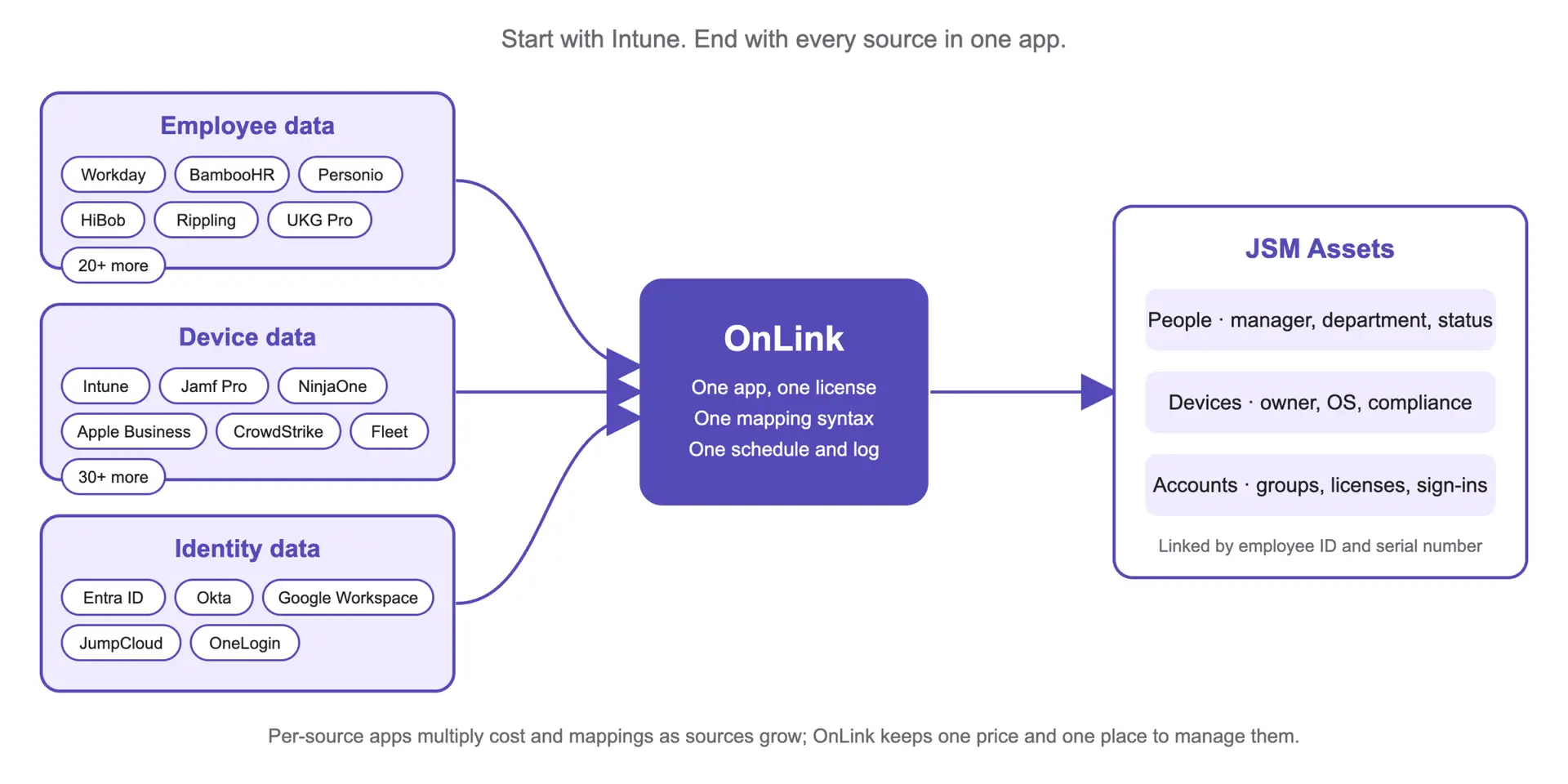
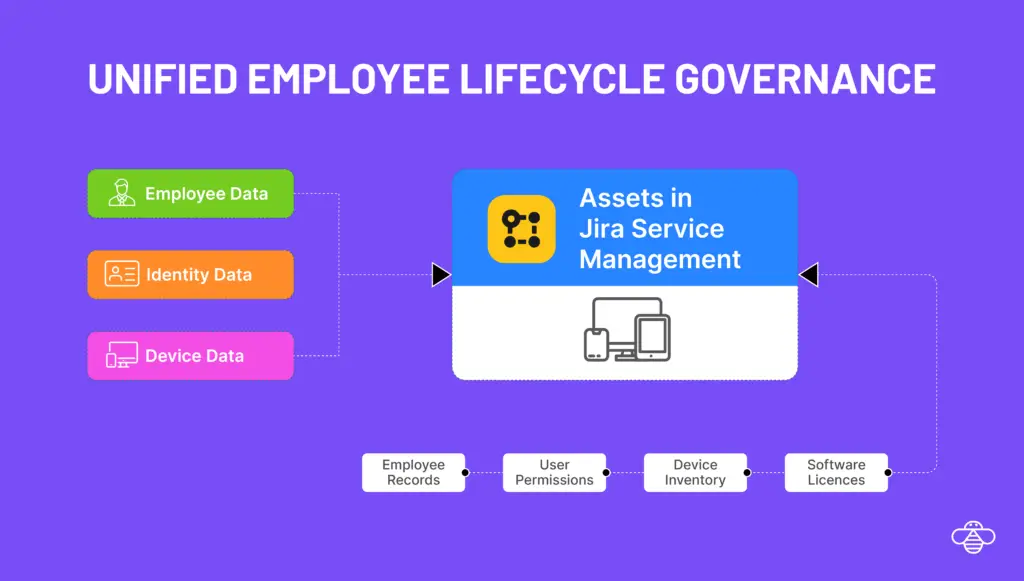
A context graph is a unified, living model of your organization’s people, identities, devices, and entitlements. Three primary data sources feed the employee lifecycle governance.
Your Human Resource Information System (Workday, ADP Workforce Now, SAP SuccessFactors) holds the authoritative version of who your employees are. Not just names and email addresses, but department, cost center, job title, employment type, manager chain, location, start date, and employment status.
Whether you're running Microsoft Entra ID, Okta, Saviynt or another IdP, this system holds the operational truth of what each employee can do. Group memberships, role assignments, license entitlements, application access, permission scopes. When you pull this data into the context graph, suddenly you can ask questions like: Does this employee's access reflect their current role? When was their last access review? Does their license tier match their actual usage?
Hardware is often the forgotten dimension of employee lifecycle management. Asset tracking from your MDM or ITAM system closes the loop. Which device is assigned to which employee? What is the warranty status? When was it last refreshed? Is it enrolled in the right compliance policies?
Assets is an excellent option to build the above discussed context graph. It’s no longer a configuration database it’s a relational model that can hold employee records, user identities, device assignments, software entitlements, and the relationships between them.
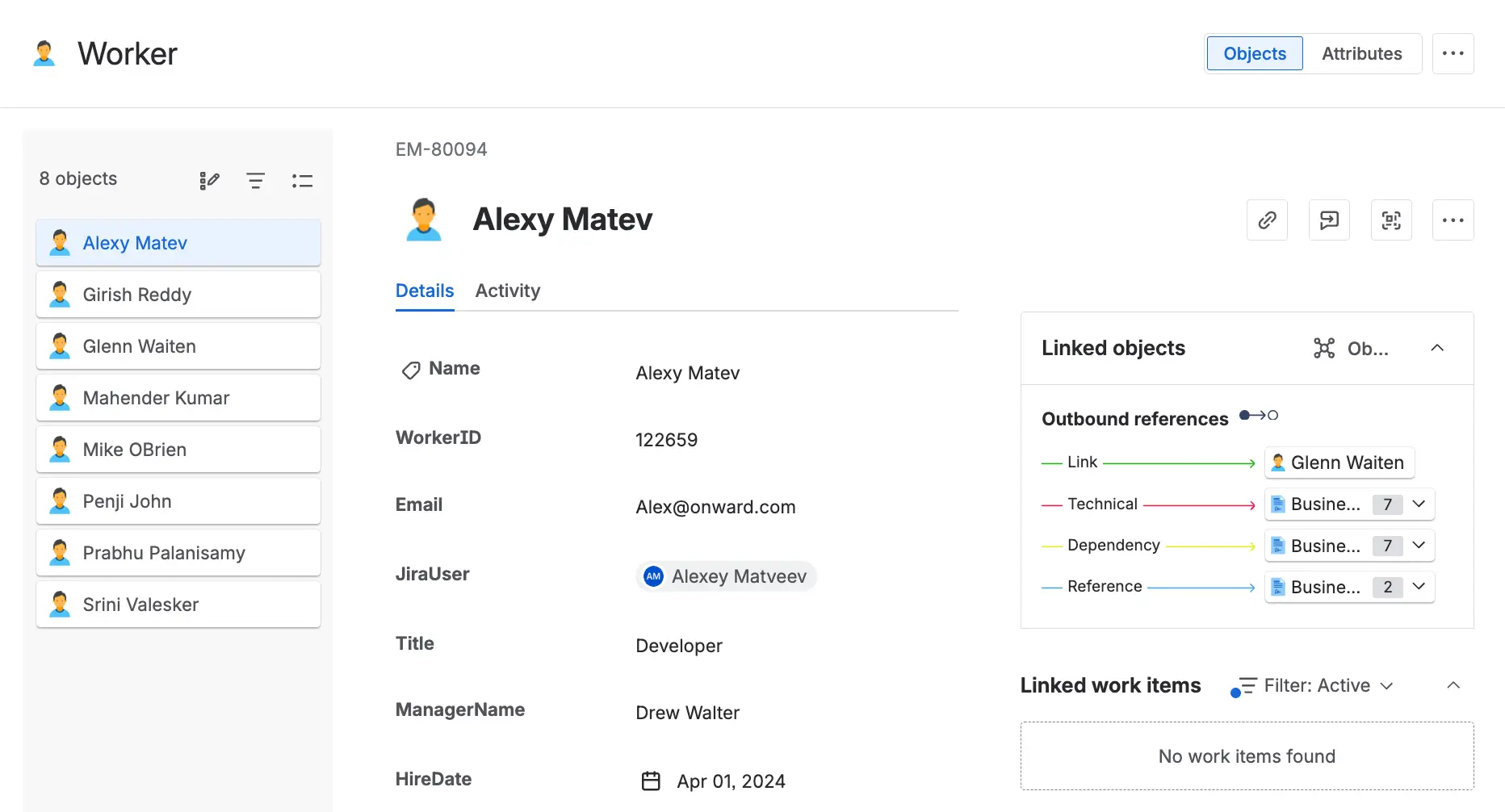
When you model your employees, their identities, and their devices as Assets, you create something more valuable than any individual data point: you create relationship visibility. You can see that this employee has this laptop, belongs to these Entra ID groups, holds these software licenses, and reports to this manager — all in one place, with the links between them intact.
With a context graph in place, automation stops being a liability and starts being a genuine force multiplier. Here’s what that looks like in practice.
An employee submits a service request for a new laptop. Without context, an agent has to manually check inventory records, find the employee’s current device, figure out when it was purchased, and determine whether a replacement is justified.
With the context graph in Assets, the workflow is different. The moment the request is created, the system looks up the employee’s current device assignment. It checks the warranty period and the organization’s hardware refresh policy. If the device is past its refresh window, the request is auto-approved and routed for fulfillment. If it isn’t, the requestor is informed of the eligibility date — no manual lookup required, no wasted procurement budget.
An employee is promoted and needs access to a new set of resources — SharePoint sites, security groups, application roles. The request comes in through JSM.
With the context graph, the workflow knows exactly who the employee’s current manager is (pulled from HRIS and validated in Assets). It routes the approval request to the right person. Once approved, it checks the existing group memberships against the new role profile, makes the necessary additions and removals in Entra ID, and logs every change with full audit context.
No manual group lookups. No routing guesswork. No orphaned memberships from the old role. The context graph ensures the automation is precise, traceable, and secure.
OnLink brings the data from various sources to Assets.
OnLink connects the data that already exists across your HRIS, identity provider, and device management systems, and surfaces it as a structured, relational context layer inside JSM Assets. It doesn’t ask you to rip and replace your existing systems. It works with what you have, linking records across platforms so that the relationships between employees, identities, and hardware become visible and actionable.
This is the infrastructure that makes employee lifecycle governance not just faster, but smarter and more secure.
OnLink helps you build the employee context graph inside Assets , connecting your HRIS, identity provider, and device management data into a unified, relational model that makes automation trustworthy and AI assistance meaningful.
A connected model of your people, their identities and their devices, built from HR, identity-provider and device-management data and linked inside Assets. Every service request can then see who the requester is, what access they hold and what hardware they own.
Automation without context makes confident mistakes at scale: a second laptop for someone who already has one, a group change routed to the wrong manager, access left behind after a transfer. With the context graph, workflows and AI agents act on the current employee, manager and device data.
Yes. Rovo agents can query Assets, and OnLink can also write people data to Atlassian Teamwork Graph, so AI answers draw on the same employee, identity and device relationships.
OnLink runs each source import on a schedule and upserts records by a stable key (employee ID, user principal name, serial number), so transfers, promotions, new devices and leavers flow into Assets without manual updates.
Build the context graph
OnLink brings HRIS, identity provider and device data into Assets in one app. Start a free trial on the Atlassian Marketplace.
If your team is managing employee lifecycle requests across fragmented systems and struggling with it? Learn more about OnLink or book a demo.
With the context graph in Assets, your team can:
RELATED