
Most of what we write here is about the two big HR moments — onboarding and offboarding. For change we will write another key HR Workflow: time offs.
Your service collection knows who owns a ticket. It doesn’t know whether the person is Out of Office.
In this article we’ll show how to pull employee time-off requests from HiBob into OnRamp, land them in your service collection as records you can query, and then use them for routing, assignment and validation.
Once absence data lives next to your tickets, you can do:
Let me go through step-by-step.
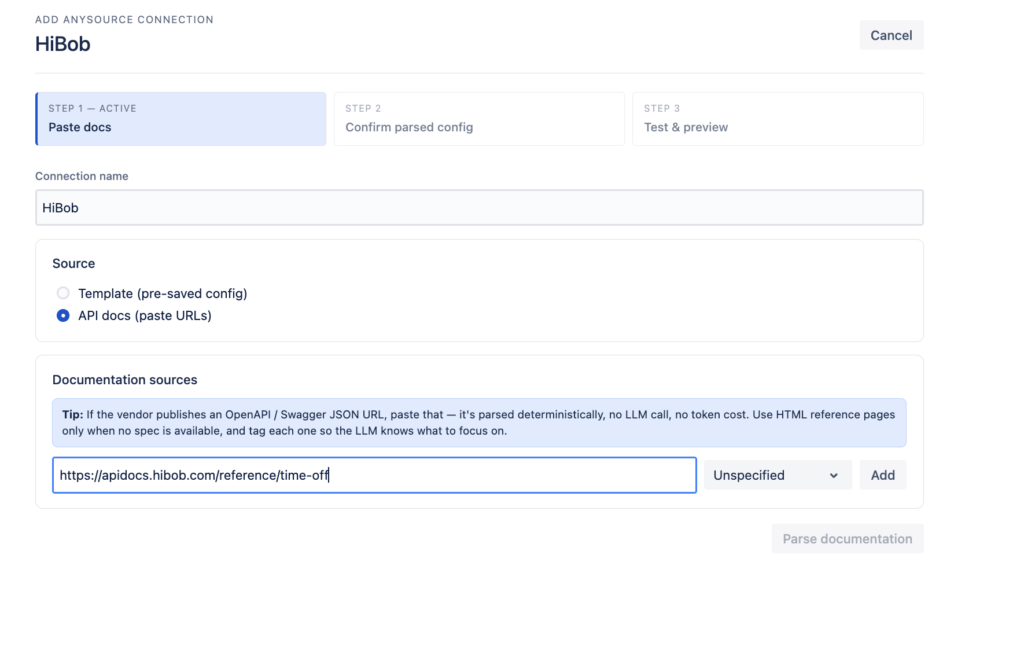
In OnRamp, select Anysource Connection and add a new connection.
Reference API docs: https://apidocs.hibob.com/reference/time-off
HiBob uses a service user for API access. In the connection’s authentication section:
Bearer TokenBasic:)SERVICE-USER-ID:TOKEN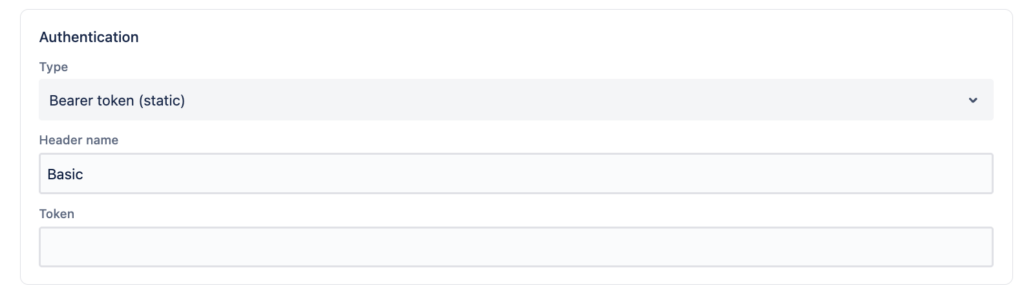
For creating the service user and generating the token, see HiBob’s authorization docs: https://apidocs.hibob.com/reference/authorization
Note on permissions: the API only returns time off for employees the service user can access. If your test comes back with fewer records than expected, check the service user’s permission group in HiBob before you go looking for a bug in the connection.
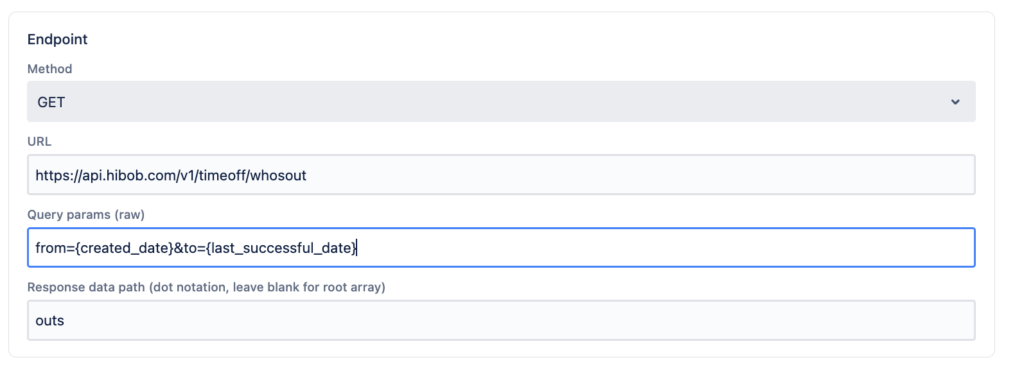
The endpoint we want is GET /v1/timeoff/whosout, documented at https://apidocs.hibob.com/reference/get_timeoff-whosout. It returns time off information for a given date range, limited to the users the service user can access.
Configure the endpoint:
| Setting | Value |
|---|---|
| Method | GET |
| URL | https://api.hibob.com/v1/timeoff/whosout |
| Query Params | from={created_date}&to={last_successful_date} |
| Response data | outs |
The {created_date} and {last_successful_date} tokens let the connection run incrementally — each poll picks up where the last successful run left off, rather than re-pulling the same window every time.
Save the connection and hit Run Test to see results.
{
  "outs": [
    {
      "date": "2025-08-04",
      "policyTypeDisplayName": "Holiday",
      "visibility": "Public",
      "requestId": 42016823,
      "minutes": 30,
      "policyType": "type6",
      "employeeId": "2911111434173677987",
      "employeeDisplayName": "TestRequest User",
      "hoursOnDate": 5,
      "type": "hours",
      "status": "approved"
    },
    {
      "policyTypeDisplayName": "Holiday",
      "visibility": "Public",
      "endDate": "2025-08-06",
      "requestId": 42016838,
      "policyType": "type43",
      "startPortion": "all_day",
      "employeeId": "2911111434173677987",
      "employeeDisplayName": "TestRequest User",
      "endPortion": "morning",
      "type": "days",
      "startDate": "2025-08-05",
      "status": "approved"
    }
  ]
}Create a Flow and set Anysource Records as the event trigger. Every record the connection returns will now fire the flow.
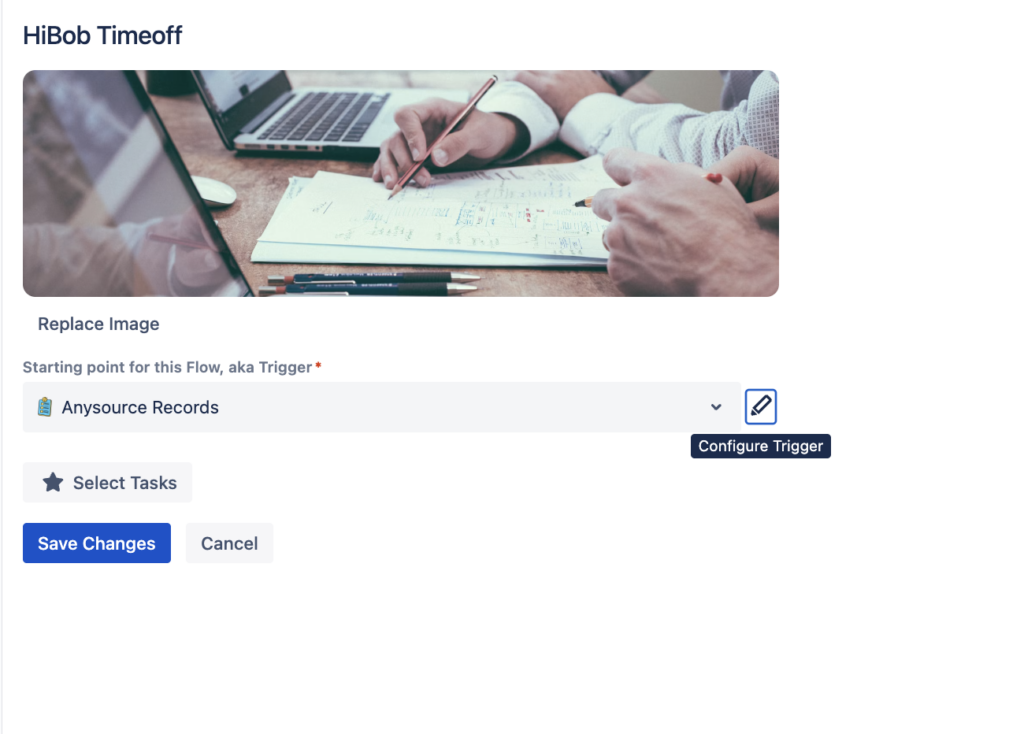
Select the Project and Request Type where you want the tickets created.
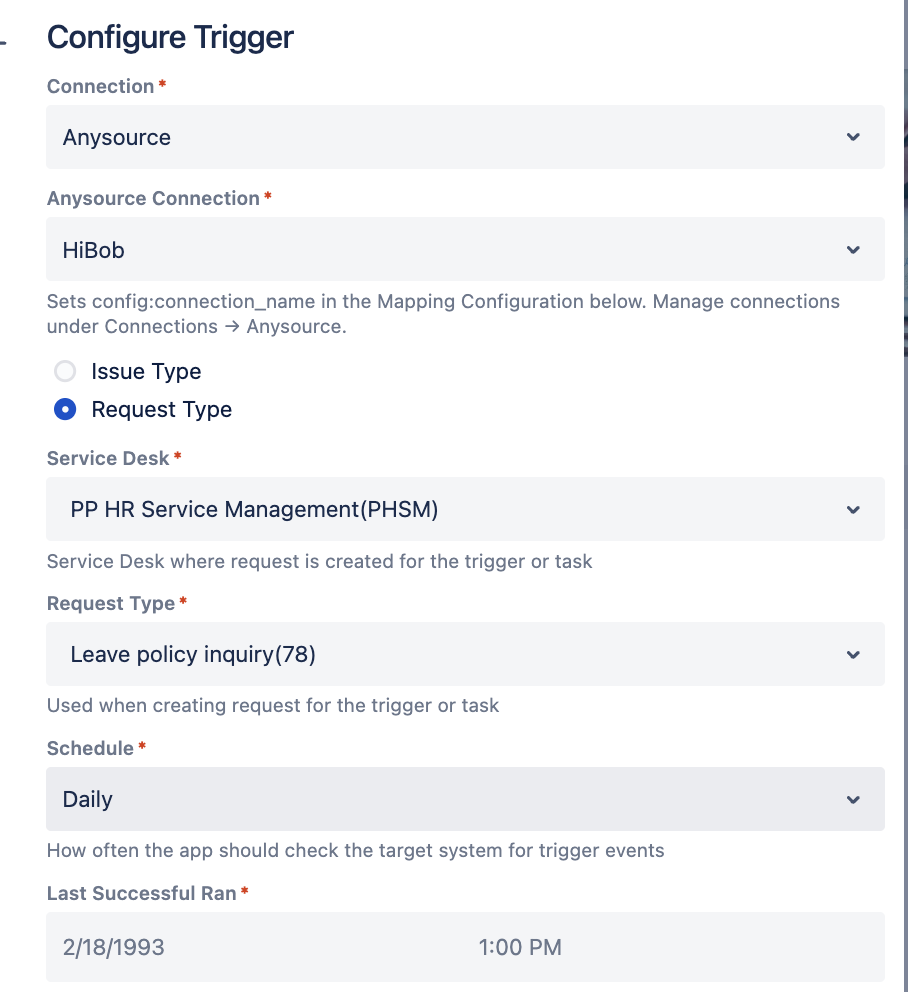
Refer to https://apidocs.hibob.com/reference/get_timeoff-whosout for the full list of API response fields.
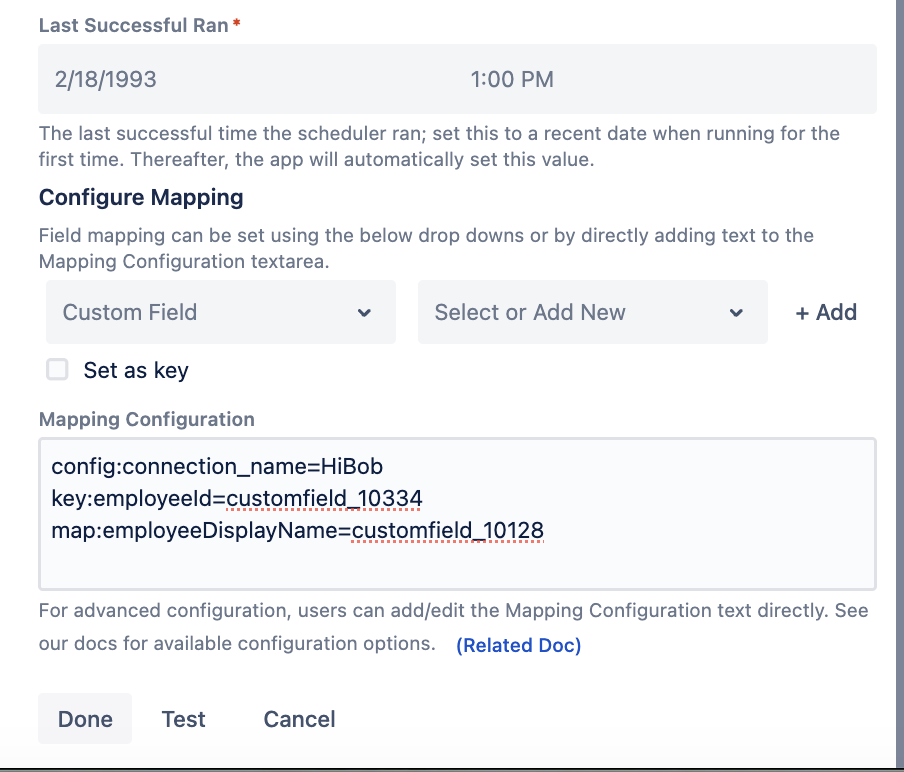
config:connection_name=HiBob
key:employeeId=customfield_10334
map:employeeDisplayName=customfield_10128
map:policyTypeDisplayName=customfield_10130

The time-off details are now on a ticket, which means they’re available to every workflow, automation and validation rule in your service collection. Some concrete starting points:
If you use HiBob, set this up and tell us how it goes. OnRamp is available in the Atlassian Marketplace.
Does this pull historical time off, or only upcoming absences?
Whatever range you ask for. The from and to query parameters define the window, so pointing them at past dates returns past absences. Using {created_date} and {last_successful_date} as we’ve done here gives you an incremental forward-looking pull, which is what you want for operational routing. If you need history for reporting, run a one-off connection with a fixed backdated range.
Why is the token set as a Bearer Token with a header name of Basic?
HiBob’s API expects an HTTP Basic authorization header built from SERVICE-USER-ID:TOKEN. Setting the type to Bearer Token in OnRamp with the header name Basic produces exactly that header shape. Follow the configuration as written — it’s the combination that works, even though the two labels look like they’re in tension.
Some employees don’t show up in the results. What’s wrong?
Almost always permissions, not configuration. The Who’s Out endpoint only returns time off for employees the service user is allowed to see, and it covers active users. Check the service user’s permission group in HiBob. Also confirm whether the missing records are private (includePrivate), pending (includePending) or hourly (includeHourly) — all three are excluded by default.
Can I use this for something other than time off?
Yes. The pattern here — Anysource connection, incremental date-range pull, Anysource Records trigger, field mapping onto custom fields — isn’t specific to absences. Any HiBob endpoint that returns a list you can key by employee works the same way: employment changes, org structure, custom table entries. Time off is just the one with the most immediate payoff for a service desk.