Spending $50K on Surveys? 90% of Employee Feedback Is Dead Before It’s Read.
Your annual survey did not fail because of bad questions. It failed because it arrived too late. Sixty questions, results three months later, action plans for problems that have already moved on.
This post covers the five mistakes that kill employee feedback, what is changing in pulse surveys in 2026, evidence-based mental-health and workload questions, and the three-step setup for continuous feedback in Workday with OnSurvey.
Every day, your team is broadcasting micro-signals. It’s easy to categorize most as noise and miss out on early warning signals.
These aren’t noise. And by the time your annual engagement survey rolls around — 60+ questions, results delivered three months later, action plans that are no longer relevant.
Your annual survey didn't fail because of bad questions. It failed because it arrived too late.
What most organizations miss: common mistakes in employee feedback
Despite the growing adoption of pulse surveys and continuous feedback tools, most organizations are still making fundamental mistakes that undermine the entire effort.
Mistake 1: Collecting Without Closing the Loop
The single biggest failure in employee feedback is gathering data and doing nothing visible with it.
Mistake 2: Asking Too Many Questions, Too Rarely
Many organizations still run 60-to-80-question annual surveys and call it "listening." The problem isn't just frequency — it's cognitive load. A survey that takes 20 minutes to complete feels like an obligation, not a conversation.
Mistake 3: Ignoring the Manager Layer
Feedback data that flows exclusively to HR or executive leadership misses the point. Managers are the ones who can act on team-level signals in real time.
Mistake 4: Treating All Feedback the Same
A question about cafeteria food and a question about psychological safety require very different follow-up protocols. Organizations that dump all survey responses into a single dashboard without categorization, prioritization, or escalation paths end up paralyzed by data instead of empowered by it.
Mistake 5: Neglecting Mental Health and Workload Signals
The 2026 NAMI-Ipsos Workplace Mental Health Poll found that while 75% of employees say it's appropriate to discuss mental health at work, 41% still cite stigma and judgment as barriers. If your surveys don't deliberately create a safe channel for mental health and workload concerns, you're missing the signals that matter most.
What’s changing in pulse surveys in 2026
The pulse survey landscape is evolving rapidly. Here’s what’s different this year:
AI-powered sentiment analysis is now standard
Tools can now detect emotional undertones in open-text responses, flagging urgent concerns automatically and surfacing themes that would take HR teams weeks to identify manually.
Personalized survey cadences are replacing one-size-fits-all schedules
Rather than blasting the entire company with the same questions on the same day, leading platforms now tailor question sets and delivery timing based on role, tenure, recent life events (like a team change or return from leave), and even individual response patterns.
Manager-level dashboards have matured
In 2024, most platforms gave managers a basic score. In 2026, managers get trend lines, team comparisons (anonymized), recommended actions, and integration with their existing workflow tools. The data meets managers where they work, rather than requiring them to log into yet another dashboard.
Mental health and workload questions are no longer optional
Driven by growing regulatory attention to psychosocial risk and the post-pandemic normalization of mental health conversations, leading organizations now include wellbeing and workload questions as a permanent fixture in their pulse surveys.
Native Integration with Workday is a differentiator
Standalone survey tools create data silos. The 2026 expectation is that feedback data lives alongside performance, compensation, and development data in a unified system, enabling holistic people decisions.
Questions that focus on mental health and workload
Designing the right questions is critical. Here are evidence-based questions — informed by frameworks from NAMI, NIOSH, and Mental Health America — that you can deploy as part of your continuous feedback program using OnSurvey:
“On a scale of 1–5, how well are you able to manage stress related to your work this week?”
“Do you feel comfortable discussing mental health concerns with your manager or HR?” (Yes / Somewhat / No)
“In the past two weeks, how often have you felt overwhelmed by your responsibilities?” (Rarely / Sometimes / Often / Almost always)
“Do you feel your organization provides adequate resources to support your mental wellbeing?” (Strongly agree to Strongly disagree)
“How would you rate your overall emotional wellbeing this week?” (1–5 scale with optional comment)
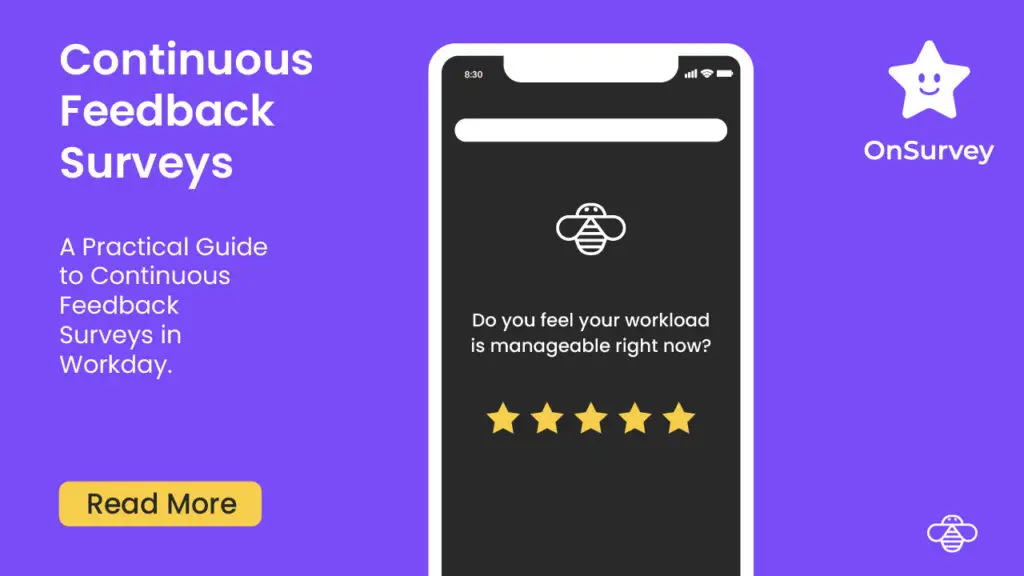
“How manageable was your workload this past week?” (Very manageable / Manageable / Somewhat heavy / Overwhelming)
“Do you have enough time during your workday to complete your core responsibilities?” (Yes / Mostly / Rarely / No)
“How often did you work outside your normal hours this week?” (Not at all / Once / A few times / Every day)
“Do you feel your current workload allows you to produce quality work?” (Strongly agree to Strongly disagree)
“Is there anything your manager could adjust to help you be more effective this week?” (Open text)
Implementing continuous feedback in Workday using OnSurvey
OnSurvey is a built-on Workday app that enables Workday users to create, send and analyze surveys. Here’s how to set it up, step by step.
Step 1: Survey design using the designer
OnSurvey’s visual designer lets you build surveys that are short, focused, and optimized for high response rates.
How to do it:
Use the OnSurvey Survey Designer.
Select “Create New Survey”.
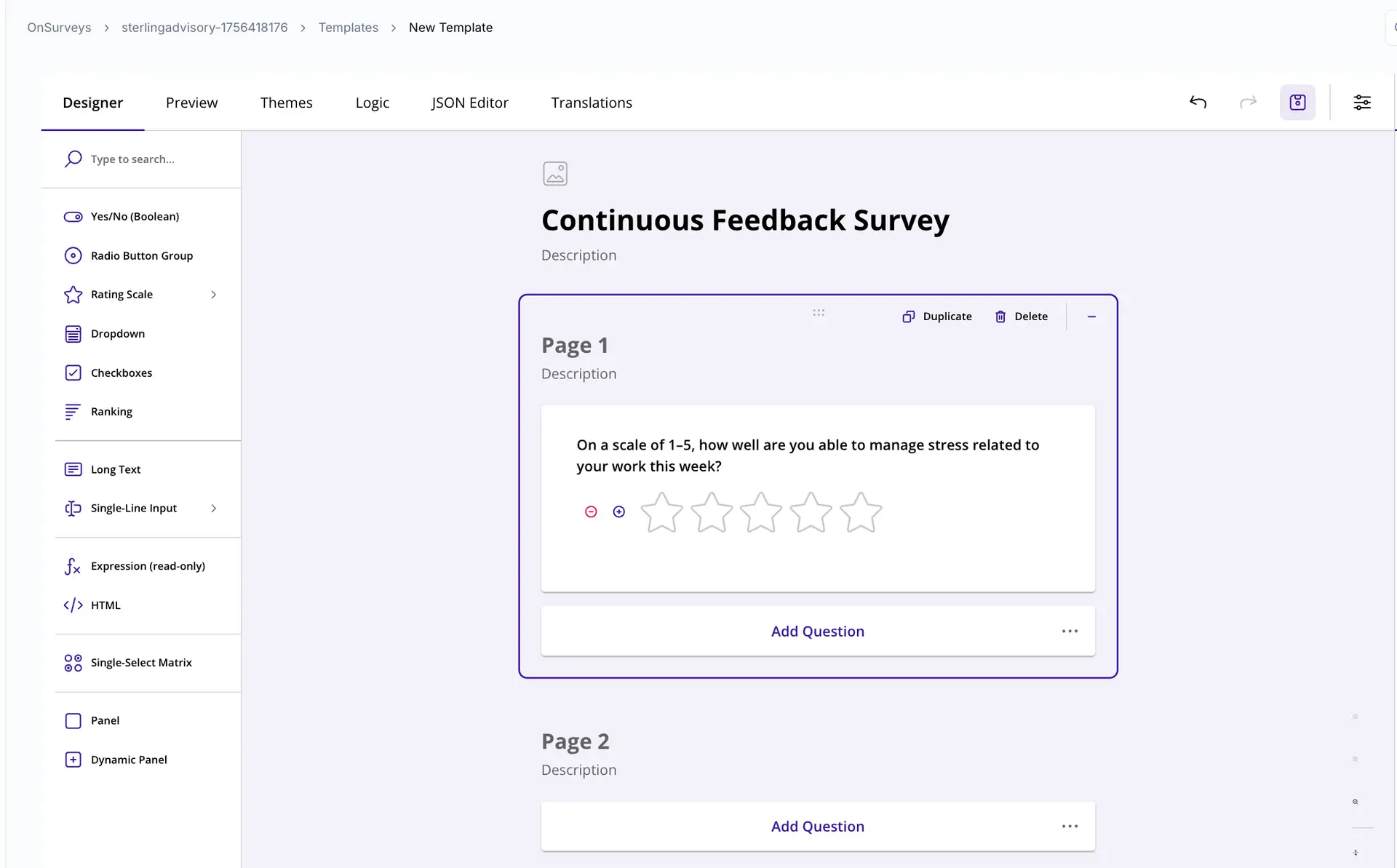
Use the drag-and-drop question builder to add your questions. For continuous feedback, stick to 2–3 questions per survey.
Choose question types strategically:
Likert scale (1–5) for sentiment and satisfaction questions — these are fastest to answer and easiest to trend over time.
Single-select for categorical questions (e.g., workload manageability).
Open text sparingly — limit to one optional comment field per survey.
Preview the survey on both desktop and mobile views — OnSurvey renders responsively, but verify that your question text is concise enough for a phone screen.
Save the survey template.
Design tips for quick, frequent feedback:
Keep each question under 20 words.
Avoid compound questions (asking two things in one question).
Use consistent scales across questions so employees don’t have to re-learn each time.
Include a progress indicator showing “Question 1 of 3” — it signals the survey is brief.
Continuous feedback survey in the OnSurvey designer.
Step 2: Define trigger conditions and when to send
Continuous feedback only works if surveys reach the right people at the right time. OnSurvey’s trigger engine integrates directly with Workday business processes.
How to do it:
Select the event triggers.
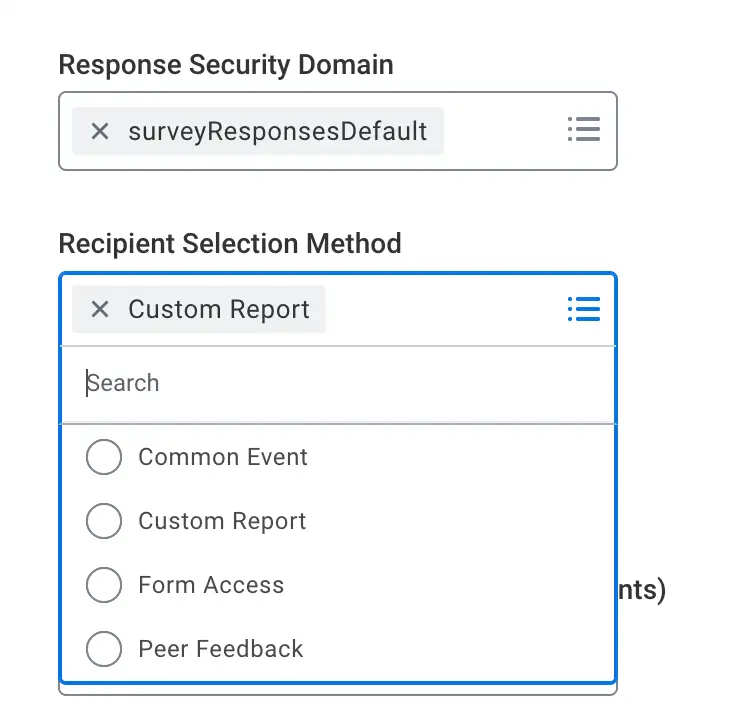
Configure audience targeting using:
Custom Reports
Common Events – Hiring, Termination, Updates etc
Set up event-based triggers that fire surveys based on Workday business process events:
Onboarding complete → Send a “First 30 Days” pulse.
Manager change → Trigger a transition experience check-in.
Return from leave → Send a re-integration survey.
Performance review completed → Follow up with a feedback-on-the-process survey.
OnSurvey recipient selection methods: custom reports, common events and event-based triggers.
Step 3: Receiving responses
Once surveys are live, OnSurvey captures and processes responses in real time within Workday.
How to do it:
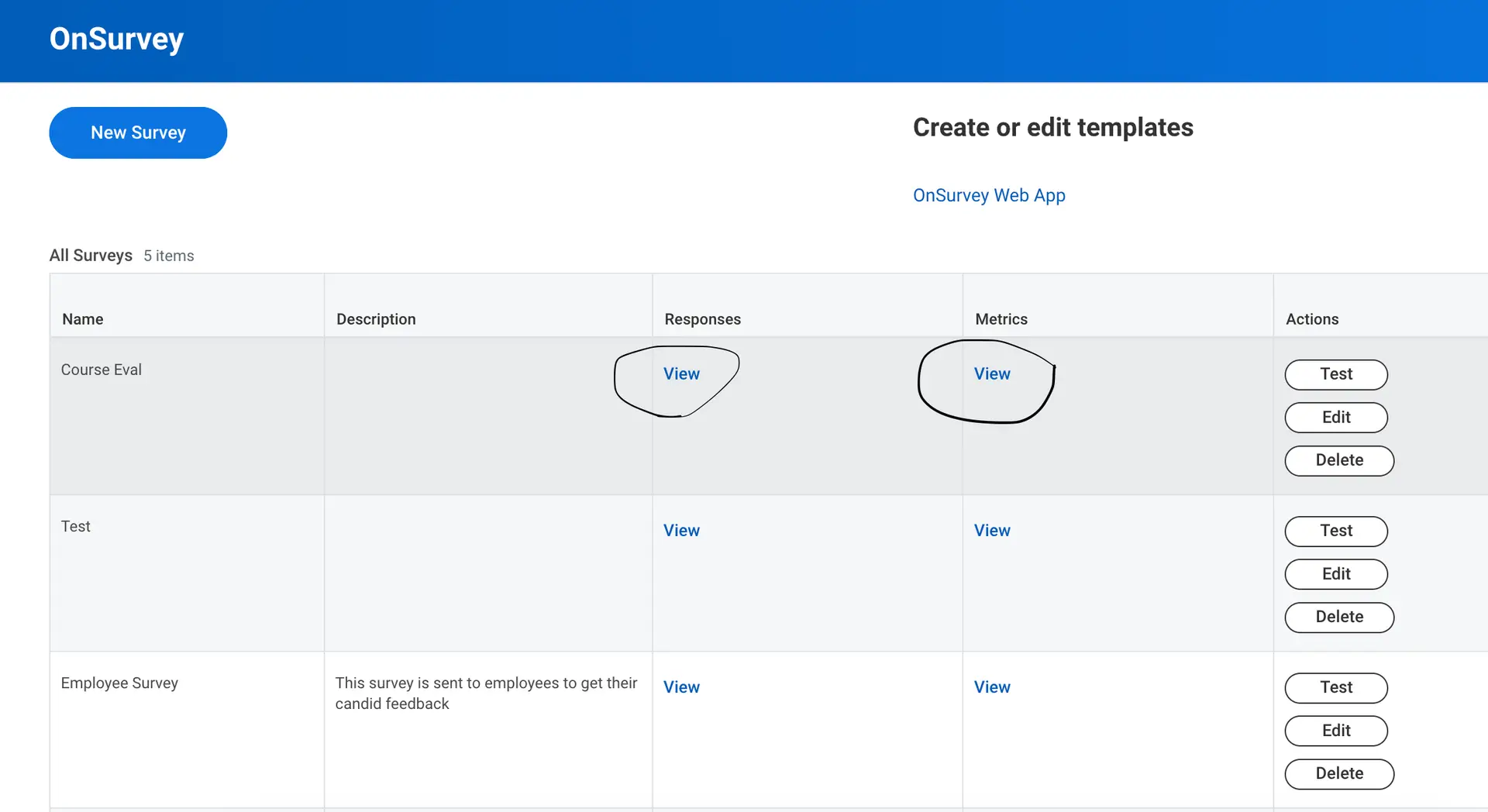
Responses flow automatically into the OnSurvey Responses Custom Report.
View real-time response rates — monitor participation as it happens, not after the survey closes.
Continuous feedback survey responses in OnSurvey, inside Workday.
End-to-end demo: from survey creation to actionable insight
Let’s walk through a complete scenario.
Ready to transform how you listen?
Try OnSurvey today. See how continuous feedback can help you catch what annual surveys miss.
What is a pulse survey and how is it different from an annual engagement survey?
A pulse survey is short (three to five questions) and frequent (weekly to monthly), so signals arrive while they can still be acted on. An annual survey is long, runs once, and reports results months later.
How often should continuous feedback surveys go out?
Weekly or bi-weekly for workload and wellbeing pulses, monthly for broader themes, and event-triggered for moments such as onboarding, transfers or manager changes. Keep each survey to a few questions so the cadence does not cause fatigue.
Can managers see their own team’s results in Workday?
Yes. OnSurvey responses are stored in Workday, so manager-level reporting follows Workday security: each manager sees their team, HR sees the organization, and no data is exported to an external tool.
How do event-based triggers work in OnSurvey?
You pick a Workday business process event (hire, termination, transfer, end of probation) or a custom report population, and OnSurvey sends the survey when the event completes, with reminders and an expiry you define.
Is employee feedback data secure in OnSurvey?
Responses never leave your Workday tenant. They inherit Workday’s role-based security, encryption and audit trail, which is why the 2026 expectation for pulse tools is native Workday integration rather than a standalone platform.
On this page
Surveys built on Workday
OnSurvey sends short pulse surveys from Workday events and stores every response in Workday. Request a demo to see continuous feedback in your tenant.