
Your newest hire just accepted the offer. Congratulations. Now comes the part defines the new hire experience: getting their laptop preference, mailing address, emergency contacts, and a dozen other onboarding activities.
Most organizations solve this with a patchwork of emails, Google forms, PDFs, Smartsheet and spreadsheets that someone on the HR team manually re-keys into Workday. It works, barely, until it doesn’t. Data entry errors, missing information or sensitive personal data over emails.
There is a better way. OnSurvey, the Built-on-Workday survey and forms application by Onward, turns pre-hire data intake into a secure, automated, and fully integrated workflow. All the responses are stored in Workday.
This article walks through why pre-hire data intake matters, what information to collect, and exactly how to configure OnSurvey to handle it end to end.
The goal is to gather everything that downstream teams need to prepare for the new hire’s first day. Here is a practical list of questions organized by category:
| Question | Type | Why It Matters |
|---|---|---|
| What is your preferred laptop? (MacBook Pro / Windows) | Single select | IT needs lead time to procure and configure hardware |
| Do you need any additional monitors or peripherals? | Multi-select | Avoids Day-1 supply requests that delay productivity |
| What is your preferred email format? (first.last / firstinitiallast) | Single select | Email provisioning often happens before start date |
| Question | Type | Why It Matters |
|---|---|---|
| What is your preferred mailing address? | Text | Benefits packets, welcome kits, and badge shipments |
| What is your preferred phone number? | Text | Emergency contact and IT two-factor enrollment |
| Do you have a preferred name or pronunciation guide? | Text | Inclusive onboarding — get the name right from Day 1 |
| Emergency contact name and phone number | Text | Required by most organizations before start date |
| Question | Type | Why It Matters |
|---|---|---|
| Please select a date and time for your pre-employment health screening | Date picker | Scheduling before start avoids delays in clearance |
| What is your preferred start-date orientation format? (In-person / Virtual) | Single select | Facilities and L&D need to plan capacity |
| Do you need parking or transit assistance at your work location? | Single select | Helps facilities prepare access on Day 1 |
| Do you have any dietary restrictions for orientation lunch? | Text | Small detail, big impact on first impressions |
| Question | Type | Why It Matters |
|---|---|---|
| Have you completed your background check consent form? (Yes / No) | Single select | Tracks pre-hire compliance milestones |
| Please upload a copy of your government-issued ID | File upload | Supports I-9 or equivalent documentation |
| T-shirt size for company welcome kit | Single select | Nice-to-have that signals a thoughtful onboarding |
Below is a walkthrough of how to set this up in OnSurvey. Each step includes a placeholder for a screenshot you can capture from your own environment.
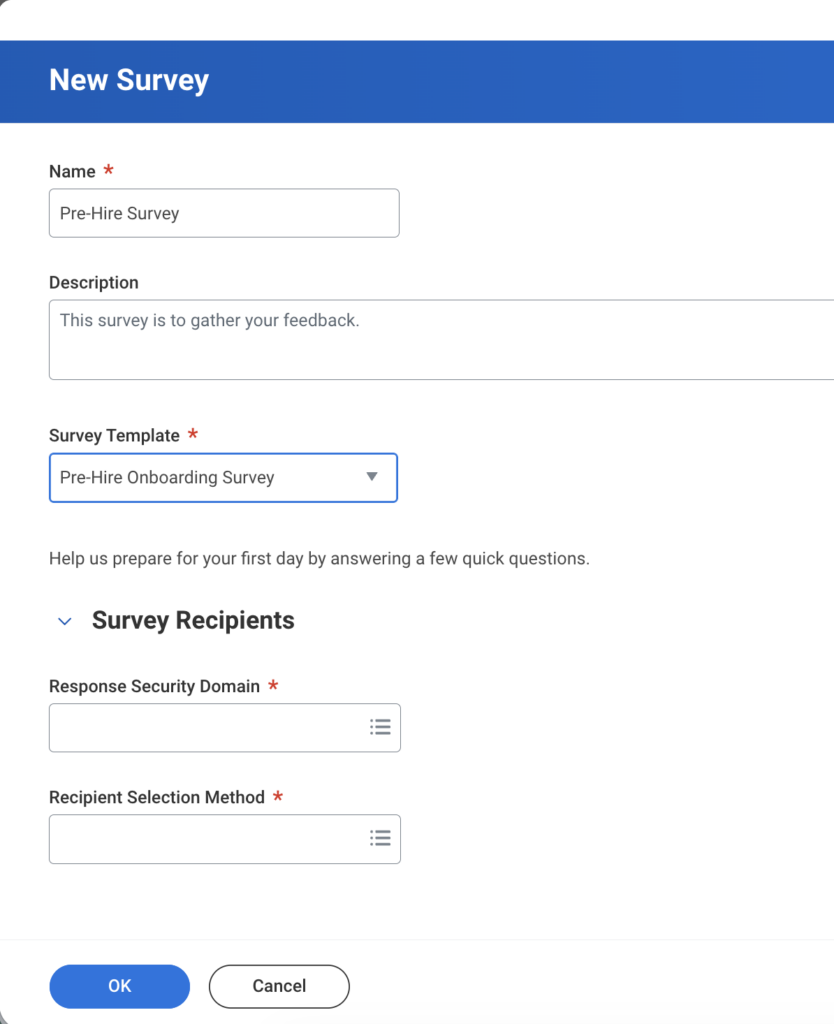
Open the OnSurvey designer within Workday and create a new survey. Give it a clear, action-oriented title like “Pre-Hire Information — Please Complete Before Your Start Date.”
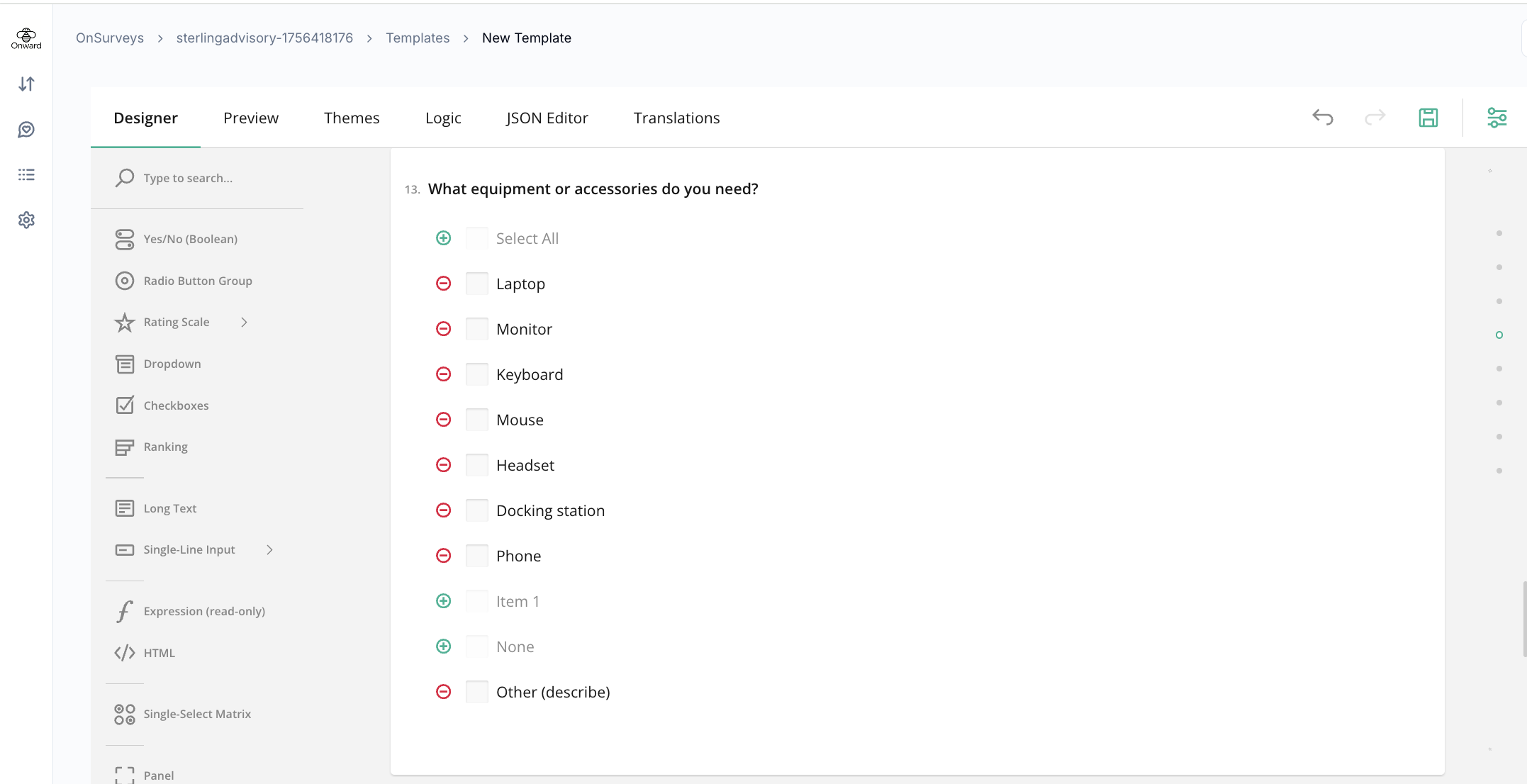
Build your questions using the question types that match the data you need: single-select for laptop preference, text fields for address and phone, date pickers for scheduling, and file upload for document collection. OnSurvey’s drag-and-drop designer makes it straightforward to arrange sections and add conditional logic. E.g, only showing the parking question if the new hire selects “In-person” for orientation format.
Design tips for high response rates:
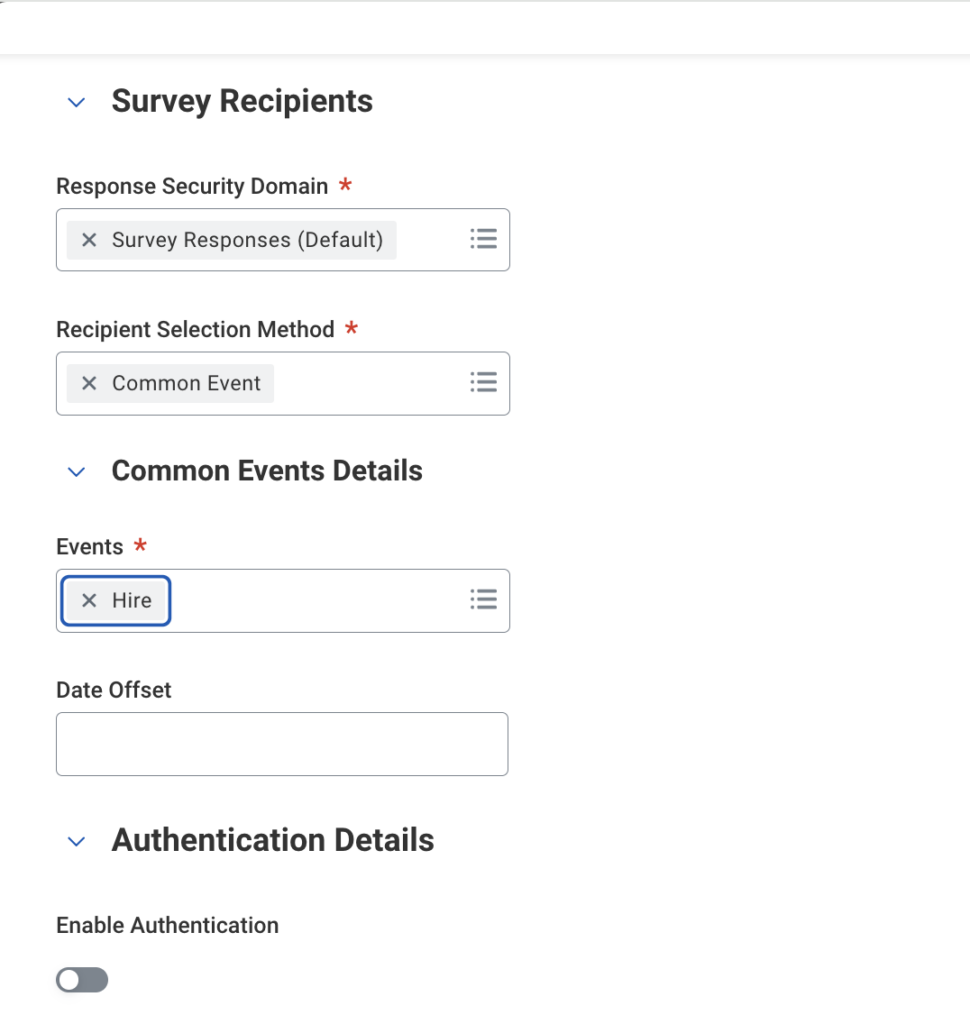
This is where OnSurvey’s Workday-native advantage becomes clear. Instead of relying on someone to remember to send the form, you configure a trigger condition tied to a Workday business process.
The most common trigger: when a hire event is completed (i.e., the offer is accepted and the pre-hire record is created in Workday). OnSurvey can automatically send the survey to the new hire’s personal email address — the one already captured during the recruiting process — without requiring any corporate credentials.
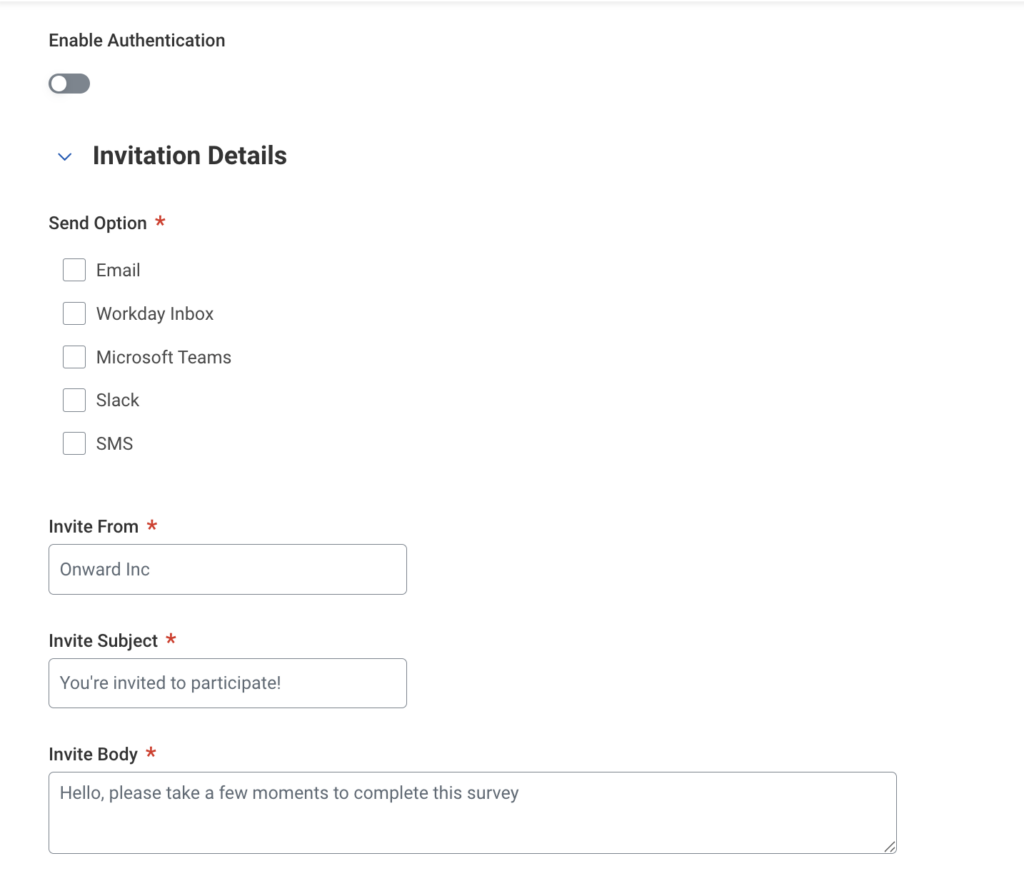
Configuration options:
Because the survey is sent via email or text message, the new hire can complete it from their personal device.
As new hires complete the survey, responses flow directly into Workday. There is no CSV export, no middleware, no manual import.
OnSurvey stores responses as structured data within your Workday tenant, which means you can:
This is a significant upgrade over external form tools. When your data lives in Workday, it is governed by the same security model, access controls, and audit policies as the rest of your HR data.
Ready to get started on pre-hire data intake? Try OnSurvey and see how easy it is to collect, store, and act on new hire information, all within Workday.
OnSurvey is a Built-on-Workday app available on the Workday Marketplace. Contact us at onwardb.com/contact to schedule a demo.