Google Cloud to JSM Assets: sync VMs, projects and service accounts
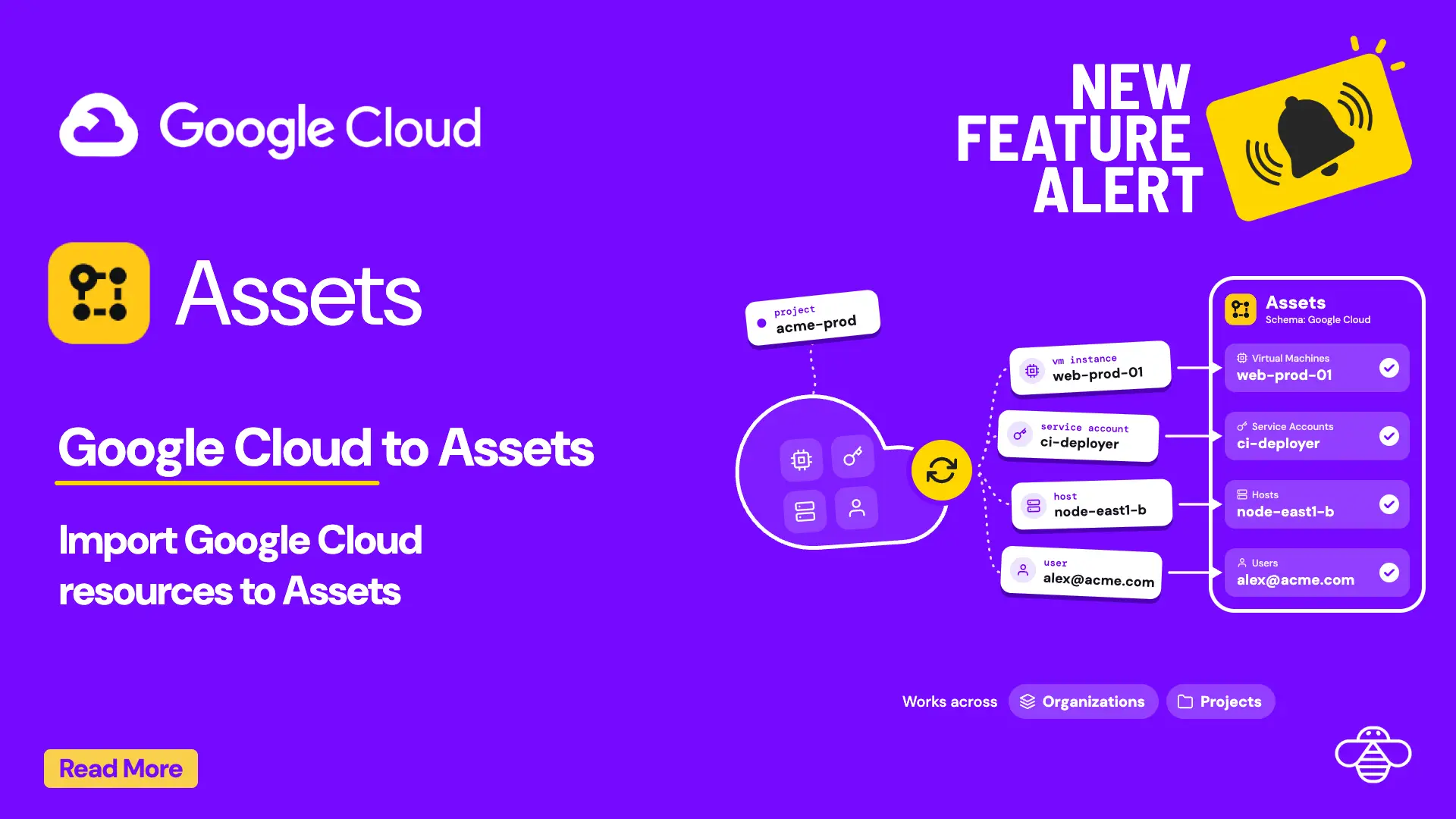
When you want to reference a Google Cloud VM, the requester shouldn’t have to describe it and the agent shouldn’t need console access to find it. OnLink syncs your Google Cloud projects, VMs and service accounts into JSM Assets, so every request points at the exact resource.
In shortOnLink reads Google Cloud through the read-only Cloud Asset Inventory API and syncs projects, VMs and service accounts into JSM Assets. One request covers every project and zone in your organization.
Why put Google Cloud resources in Assets
Google Cloud resources usually live outside the service desk. A requester writes “the checkout VM is down”, and the agent opens the console to work out which project, zone and service account that means. With the resources in Assets, that context is on the ticket from the start.
Requesters pick, not describe
An Assets field on the request form lists your real VMs, projects and service accounts.
Agents get context without console access
Project, zone, status, internal IP and the service account a VM runs as are on the ticket.
History per resource
Every incident, change and access request links to the VM or service account it touched.
One CMDB
Google Cloud resources sit next to the laptops, phones and people you already sync into Assets.
What it looks like in Jira Service Management
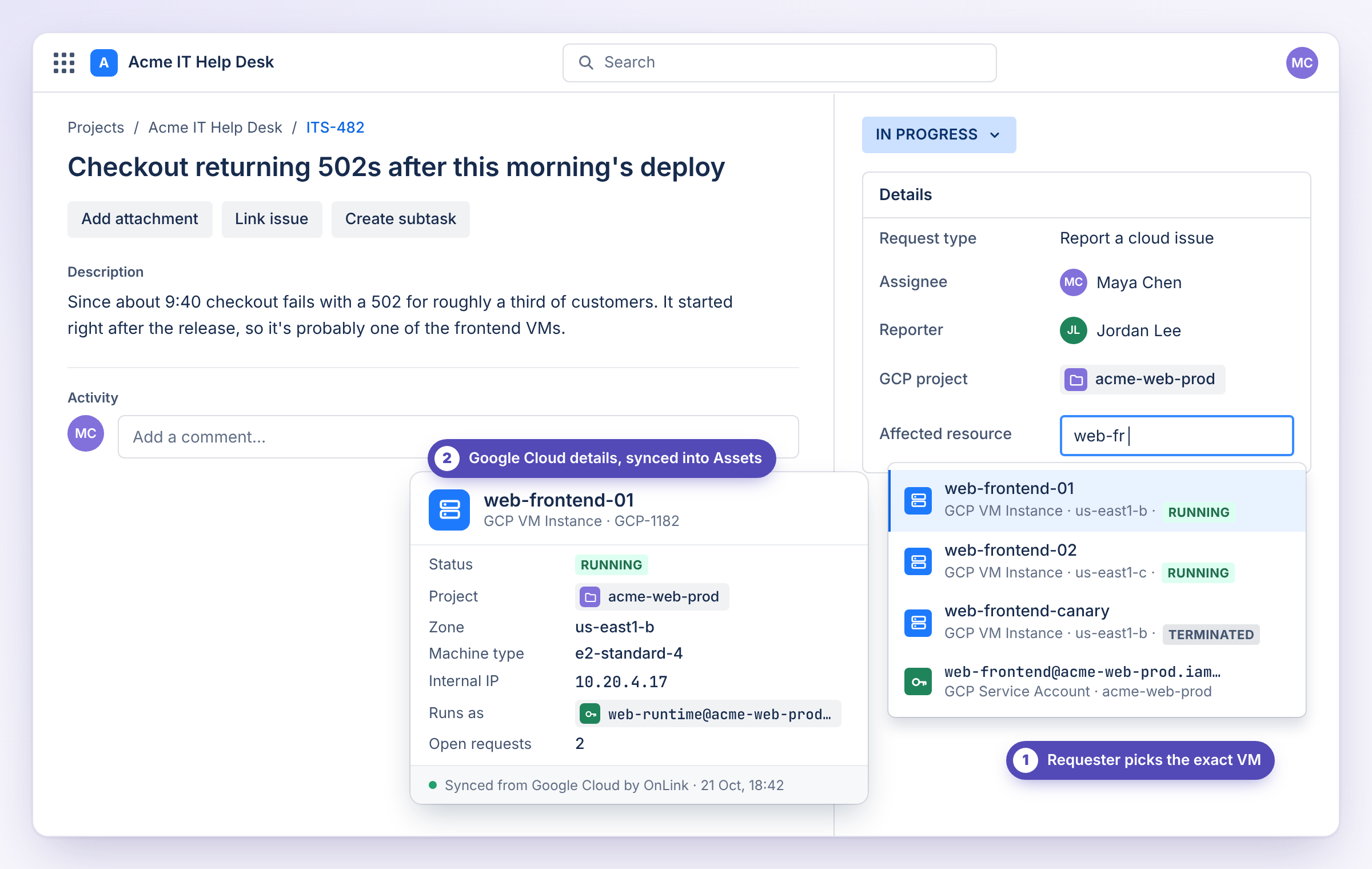
The requester types part of a VM name into an Assets field and picks the exact resource. The agent sees where it runs, what it runs as, and what else is open against it.
Example data. Field names and attributes depend on how you set up your object schema.
See it in 30 seconds
How Google Cloud maps to Assets
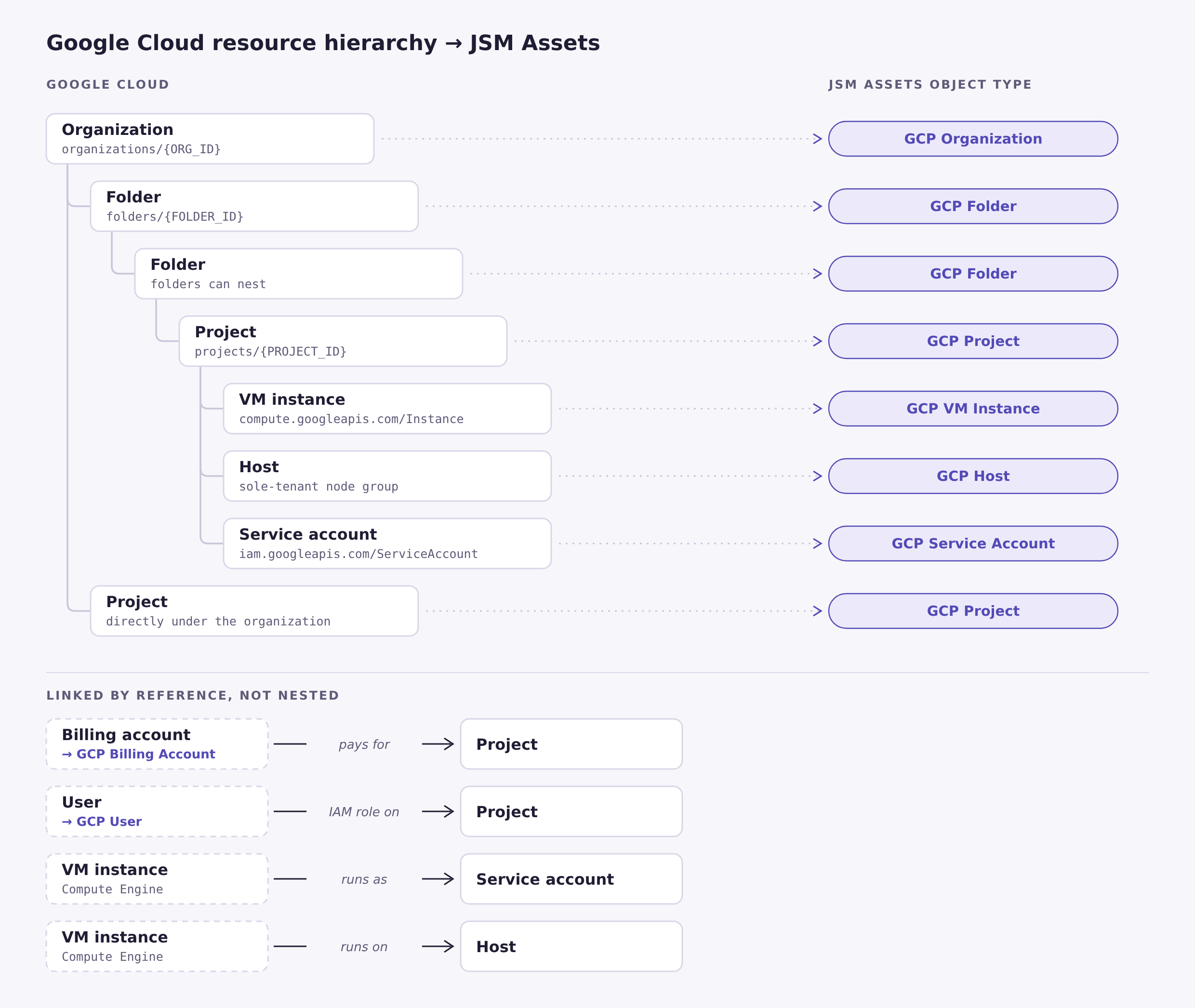
Google Cloud organizes resources as Organization → Folders → Projects → resources. OnLink builds the same structure in Assets: each resource type becomes an object type, linked to its parent by a reference. Billing accounts and users connect by reference too, so you can see what pays for a project and who has access to it.
You don’t have to import everything. Start with projects, service accounts and VMs, and add other types when you need them.
Left: the Google Cloud hierarchy. Right: the Assets object type each resource becomes. Click to enlarge.
How it works
Setup comes down to three parts. The setup guide has every field and setting.
1
Connect with a read-only service account
Create a service account in an admin project and grant it Cloud Asset Viewer on the organization. Add its JSON key to OnLink, which uses it to request short-lived access tokens. The role is read-only, so OnLink never changes anything in Google Cloud.
2
Pull every resource in one request
OnLink calls Cloud Asset Inventory’s assets.list. One paged request returns every VM, or every service account, across all projects and zones. No looping through projects with the Compute API.
3
Map fields and schedule the sync
Use the resource name as the unique key, map the fields you want (email, status, zone, machine type, labels) to Assets attributes, and set a schedule. Import projects first, then service accounts, then VMs, so references link up.
Sample mapping for service accounts:
					key:name=Resource Name
map:resource.data.email=Email
map:resource.data.displayName=Display Name
map:resource.data.uniqueId=Unique ID
map:resource.data.projectId=Project ID
map:resource.data.description=Description
map:updateTime=Last Changed
Can I sync one project instead of the whole organization?
Yes. Change the URL scope from organizations/{ORG_ID} to projects/{PROJECT_ID}, and grant Cloud Asset Viewer on that project.
Does OnLink need write access to Google Cloud?
No. Cloud Asset Viewer is read-only. The cloud-platform scope sounds broad, but what the service account can do comes from its IAM roles.
Can I use a client ID and secret instead of a key file?
No. Google doesn’t offer a client-credentials grant for its APIs. Servers use a service account and a signed JWT. A user sign-in works, but it breaks whenever your admin’s Google Cloud session length runs out.
Our organization blocks service account keys. Now what?
Organizations created on or after May 3, 2024 enforce iam.managed.disableServiceAccountKeyCreation by default. Ask an Organization Policy Administrator to turn it off for the project that holds the OnLink service account.
Will OnLink import every VM in a large organization?
Yes. Cloud Asset Inventory returns up to 1,000 records per page, and OnLink follows nextPageToken until the last page.
How do I handle GKE nodes that come and go?
GKE nodes and managed instance group VMs show up as VM instances and change often. They carry a goog-gke-node label, which you can use to filter or group them.
What else can I bring in?
Anything Cloud Asset Inventory lists. Change assetTypes to cloudresourcemanager.googleapis.com/Project for projects, container.googleapis.com/Cluster for GKE clusters, sqladmin.googleapis.com/Instance for Cloud SQL, or storage.googleapis.com/Bucket for buckets.
On this page
Google Cloud data in Assets
Start a free trial of OnLink on the Atlassian Marketplace.