
It always starts simple. And then it doesn’t.
“We need to send a few questions to our employees and collect their responses,”. Sound familiar?
When Sarah, the Head of People Operations at a 12,000-person manufacturing company, first pitched the idea of an employee engagement survey, the ask seemed straightforward.
Everyone nodded. Google Forms. It felt like a weekend project.
Six months later, Sarah’s team was buried in a requirements document that had ballooned to forty-seven line items, security reviews, and an ongoing argument with IT about data residency. The “simple survey” had collided with the reality of running a global enterprise.
Sarah’s story isn’t unusual. It’s the norm not an exception. And it reveals something important: the real measure of an employee survey solution isn’t how well it handles the easy case. It’s how gracefully it handles the hard ones.
For HR teams, the objective is clear. Collect high-quality responses that lead to actionable, informed decisions. The kind of feedback that tells you why attrition spiked in a specific department, or whether your new parental leave policy actually changed how people feel about coming back to work. But getting there means navigating a thicket of enterprise requirements that most survey tools weren’t built for.
In this article we will walk through often overlooked enterprise features of an employee survey solution. Along the way, we will highlight how OnSurvey address these requirements.
Sarah’s first curveball came from her own team. The annual engagement survey needed to be completely anonymous. Employees had to trust that their candid feedback about management wouldn’t be traced back to them. But the onboarding feedback survey? That one needed to be tied to a specific new hire so HR could follow up if someone was struggling in their first ninety days.
This is one of the earliest and most fundamental decisions HR teams face: anonymous versus authenticated responses. And it’s rarely one or the other across the board. The same organization, often the same HR team, needs both. A robust survey solution lets you toggle between the two at the survey level, so employees feel safe speaking freely when it matters, while HR still gets attributable data when follow-up is the goal.
OnSurvey supports both anonymous and authenticated surveys.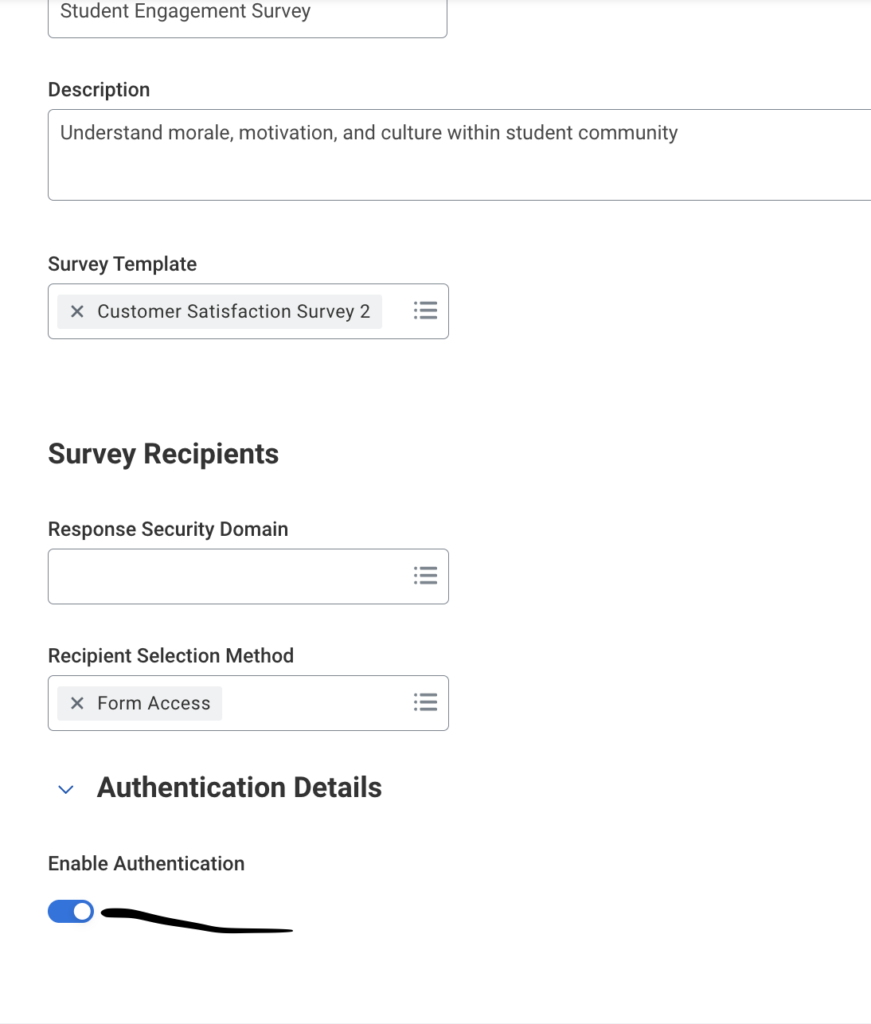
Next came a problem no one anticipated. During a pulse survey on workplace safety, several employees submitted the form multiple times, others because they wanted to revise an answer. The dataset was polluted with duplicates, and the safety team couldn’t trust the numbers.
HR needed a simple toggle: allow one submission per person, or permit multiple. For most engagement surveys, one submission is the right call. But for something like an ongoing suggestion box or a continuous improvement survey, you want people to come back and submit new ideas whenever inspiration strikes. The solution has to support both modes without requiring a workaround.

This is where Sarah’s patience was tested the most. The first tool her team evaluated required HTML snippets to customize question logic. The second needed a developer to set up branching surveys. By the third vendor demo, Sarah had a line she repeated to every sales rep who walked through the door: “If it requires coding, it’s dead on arrival.”
She wasn’t being dramatic. HR teams are not engineering teams, and they shouldn’t have to be. The fastest way to kill adoption of any survey platform is to make configuration feel like software development. Templates, drag-and-drop builders, pre-built question libraries — these aren’t nice-to-haves. They’re the foundation. If a people operations analyst can’t build, modify, and launch a survey without opening a code editor or filing a ticket with IT, the tool has already failed.

Sarah’s company had factory floor workers who didn’t sit at desks, field engineers who lived in their trucks, and a corporate office that practically breathed Microsoft Teams. Sending a survey link via email and hoping for the best wasn’t going to cut it.
Omni-channel distribution turned out to be one of the biggest drivers of response rates. The same survey needed to reach people through email, text messages, Slack, and Teams — depending on where each employee actually spent their day. A warehouse associate checking their phone on a break is far more likely to respond to an SMS than dig through an inbox they check once a week. More surface area means more engagement, and more engagement means better data.

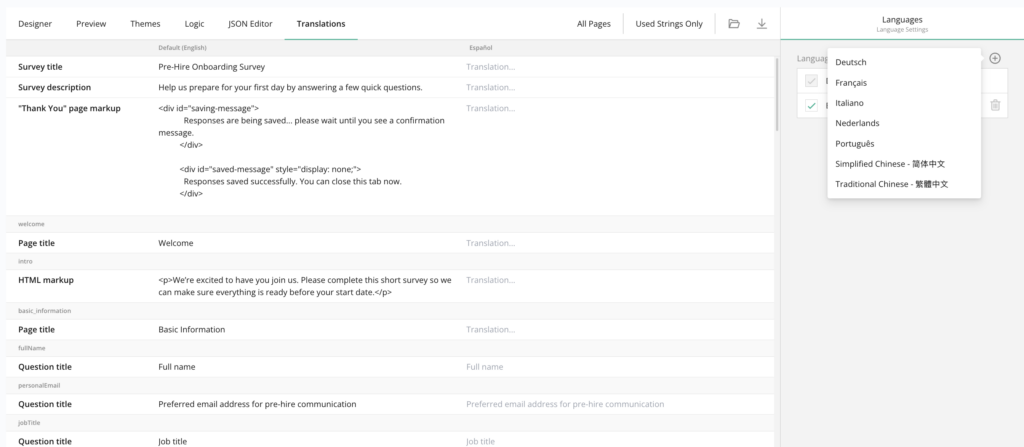
With operations in fourteen countries, Sarah’s company had employees who spoke Mandarin, German, Portuguese, Spanish, and Thai — among others. An English-only survey wasn’t just exclusionary; it was statistically useless. Responses would skew heavily toward English-speaking offices, and the insights would reflect only a fraction of the workforce.
Multi-language support is non-negotiable for any global enterprise. But it goes beyond just translating questions. The entire experience — instructions, response options, confirmation messages — needs to feel native. Employees shouldn’t have to mentally translate a question before they can answer it honestly.
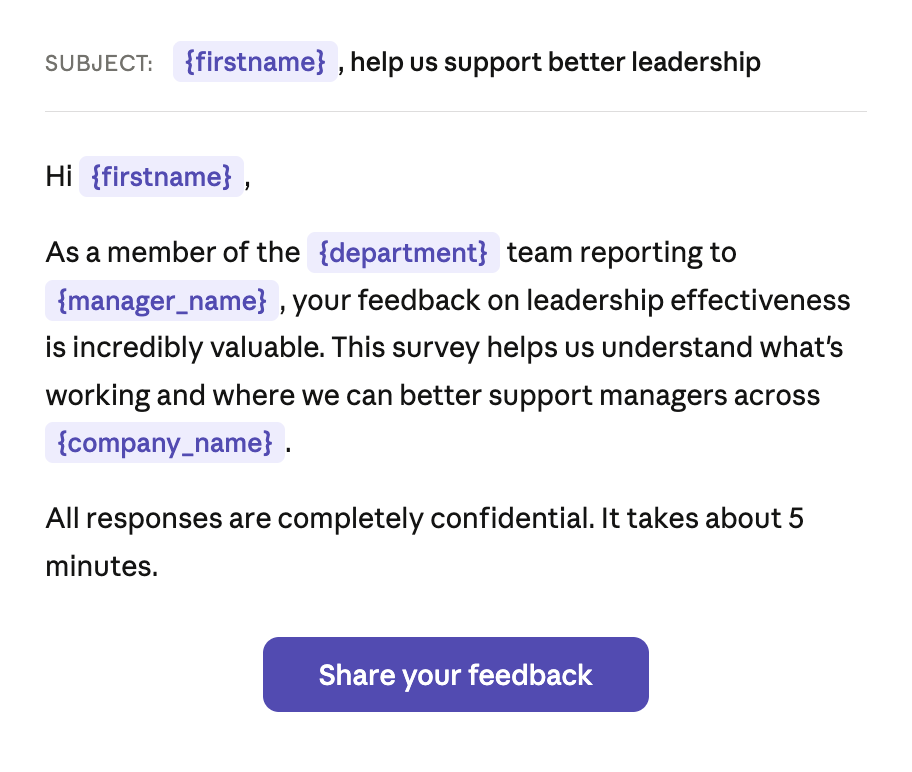
One of the highest-performing surveys Sarah’s team ever ran was a new hire check-in sent thirty days after each employee’s start date. What made it work wasn’t the questions. The notification didn’t just say “Please complete your onboarding survey.” It said, “Hi Priya, you’ve been with us for 30 days now. Your hiring manager, David Chen, and your team on the Aurora project would love to hear how your first month has gone.”
That level of personalization i.e pulling in the employee’s name, start date, manager, and project assignment transforms a generic survey request into something that feels intentional and human. Response rates on that survey were nearly double the company average. Personalized context signals to the employee that this isn’t a mass blast; someone actually cares about their specific experience.
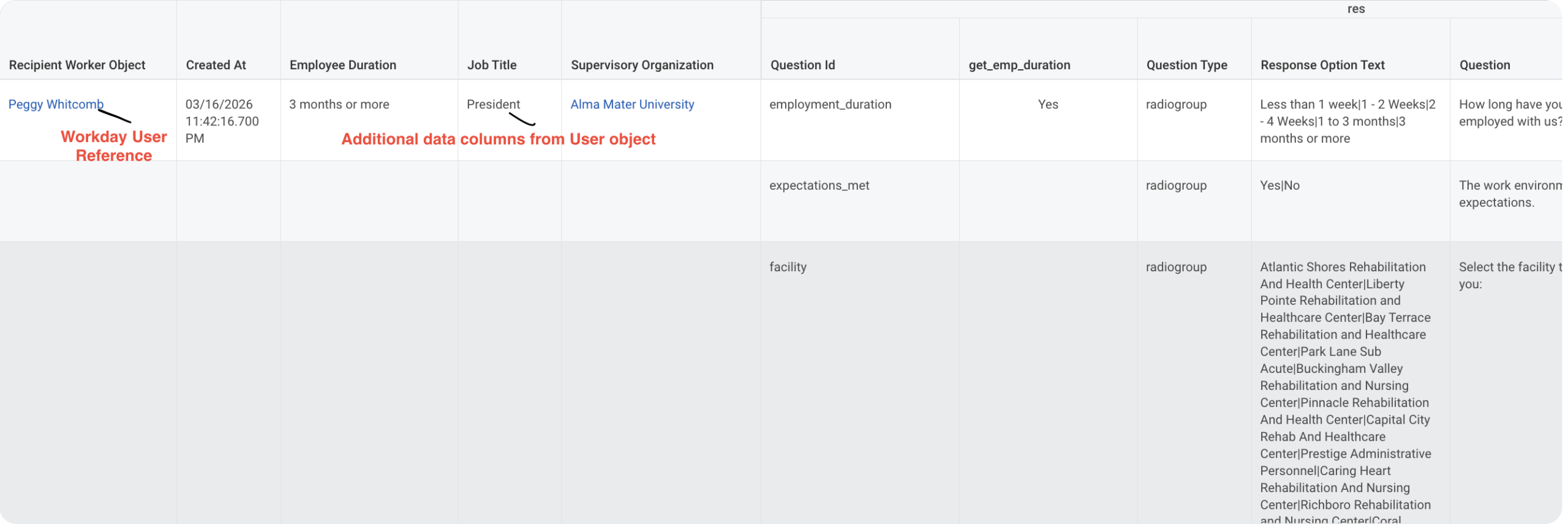
Nothing frustrates an employee faster than a survey that opens with “What department are you in?” and “What is your office location?” — questions the company already has answers to. It feels lazy, and worse, it eats into the limited goodwill employees have for survey completion.
Data joins solve this elegantly. By connecting the survey platform to your HRIS — your system of record for department, location, cost center, job level, and tenure — you can pre-populate that context without ever asking the employee. The survey stays focused on what you actually need to learn, and when it’s time to analyze results, you can slice and aggregate by any of those dimensions without having relied on employees to self-report them accurately.
Midway through analyzing results from a sensitive DEI survey, Sarah got a call from Legal. “Who has access to these responses?” It was a fair question — and one that exposed a gap. The raw responses contained deeply personal feedback about inclusion, bias, and psychological safety. Letting that data flow freely across the organization wasn’t just a bad idea; it was a liability.
Data security and access controls around survey responses are a governance requirement, not a feature request. HR leadership might need to see everything. A department manager might only see aggregated results for their team, with a minimum threshold to prevent individual identification. An executive sponsor might see trends and benchmarks but never raw comments. The survey platform has to support granular, role-based access — because employee trust depends on it.

Six weeks after launching her annual engagement survey, Sarah needed to remove a question that Legal flagged as problematic. Her previous tool treated this like a crisis — removing a question broke the report templates, threw off the scoring model, and required a support ticket to fix. In another instance, adding a new question mid-cycle meant the historical data couldn’t be compared year-over-year.
A mature survey solution is flexible and adaptable by design. Removing a question should be as clean as taking a book off a shelf — the shelf doesn’t collapse. Adding a new question should make it immediately available in reporting without someone having to rewire the backend. Surveys evolve. Priorities shift. Questions get refined. The tool should accommodate that evolution without brittleness or breakage.
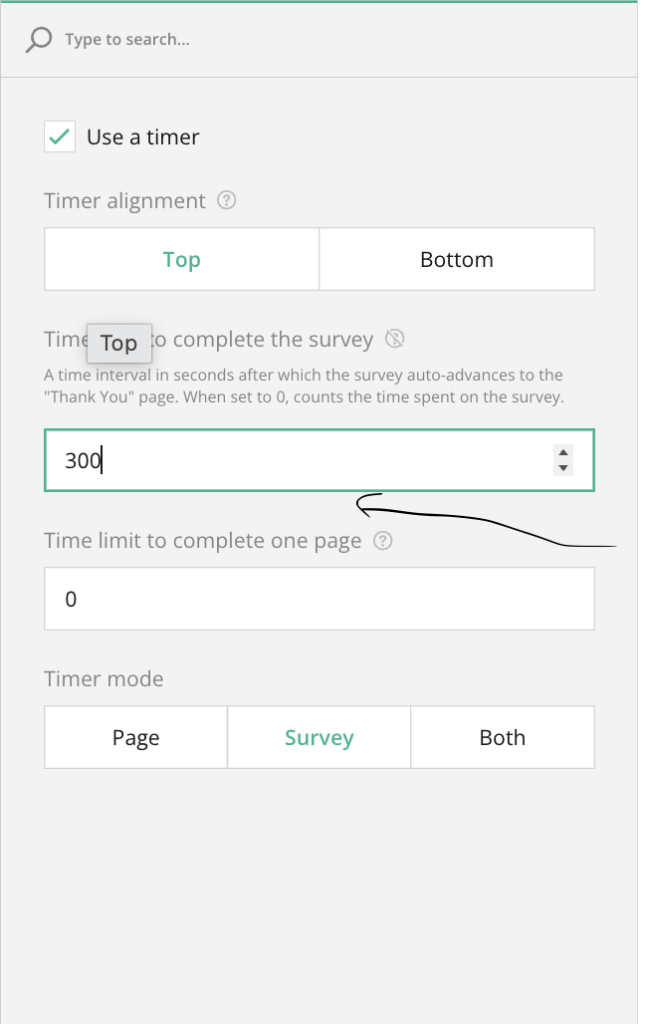
Timer to finish the survey.
Auto Save Progress.
Review before submit.
Show Progress Bar.
Set Required Questions.

Each of these requirements, anonymity controls, submission rules, no-code configuration, omni-channel delivery, multi-language support, personalized notifications, data joins, response-level security, and structural flexibility comes up often in our conversation. Enterprise employee surveys are deceptively complex. What begins as “just send a few questions” quickly expands into a system that must respect privacy, reach a diverse global workforce, integrate with existing HR data, and hold up under the weight of real organizational governance.
The HR teams at the center of this work aren’t asking for complexity. They’re asking for simplicity on the surface with sophistication underneath a survey solution that makes the easy things effortless and the hard things possible.
Every survey starts off simple and gets complex very quickly. Having a survey tool that is native to Workday and delivers all of the above makes it effective to implement a robust survey solution. It’s how modern HR teams turn employee feedback into real, measurable action.
OnSurvey was built for exactly this. If you’re ready to move beyond makeshift tools and run enterprise-grade employee surveys without the enterprise-grade headaches, give OnSurvey a try.