
In this blog, we’ll cover how to import user, assets, licenses and other data attributes from Snipe-IT into Assets. We’ll go in-depth into the following topics:
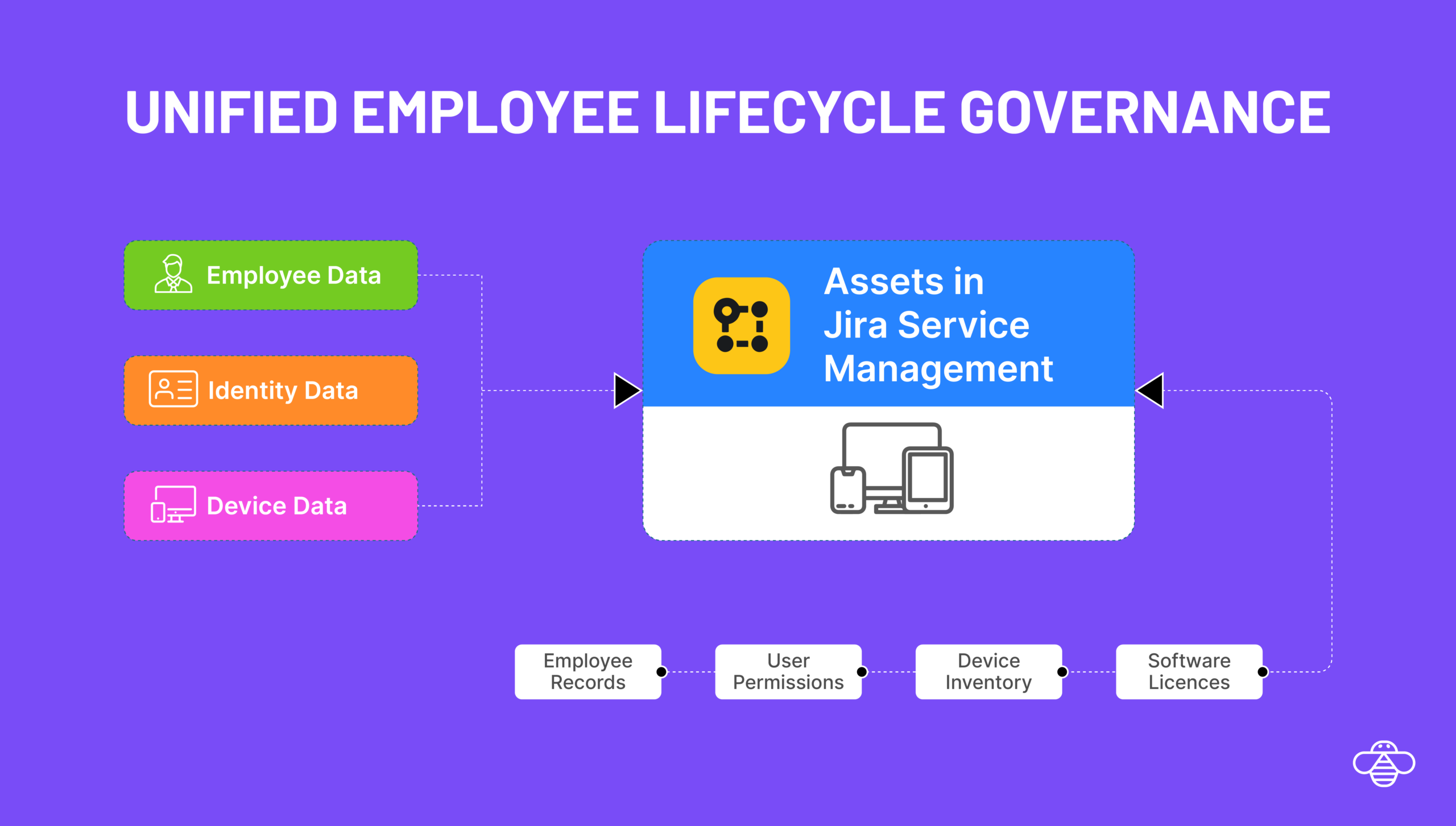
OnLink connects to the Snipe-IT API and imports Users, Devices, and other objects directly into Assets.
Snipe-IT is an open-source IT Asset Management (ITAM) system used by thousands of organizations to track:
Hardware (laptops, monitors, mobile devices, peripherals)
Users and user assignments
Suppliers and manufacturers
Depreciation and warranties
Locations and companies
Licenses, consumables, accessories
Check-ins and checkouts
Link to Snipe-IT API Documentation.
Snipe-IT exposes a REST API for user objects.
GET https://develop.snipeitapp.com/api/v1/users
Sample User Object
{
"id": 2009,
"name": "Nitzsche Judy",
"first_name": "Judy",
"last_name": "Nitzsche",
"username": "nyasia16",
"employee_num": "8094",
"jobtitle": "Medical Technician",
"phone": "+1-820-418-4210",
"email": "alford.blick@example.net",
"department": { "id": 2, "name": "Engineering" },
"assets_count": 0,
"company": { "id": 3, "name": "Denesik-Leannon" }
} GET https://develop.snipeitapp.com/api/v1/hardware
Sample Device Object
{
"id": 2596,
"asset_tag": "1004086704",
"serial": "350f48dc...",
"model": { "id": 18, "name": "Ultrasharp U2415" },
"category": { "id": 5, "name": "Displays" },
"manufacturer": { "id": 3, "name": "Dell" },
"location": { "id": 6, "name": "Devynmouth" },
"status_label": { "id": 1, "name": "Ready to Deploy" },
"supplier": { "id": 5, "name": "Grimes Inc" },
"purchase_date": { "date": "2025-09-10" },
"image": "https://.../ultrasharp.jpg"
}
This device payload includes:
asset identifiers
warranty/EOL
manufacturer & supplier metadata
location
model & category
assignment
depreciation
purchase cost
lifecycle attributes
Any of these can be mapped into Assets object schemas.
You can use this same design pattern to import licenses, suppliers, consumables, and maintenance data.
Scenario
A growing IT team uses Snipe-IT as their internal asset repository, but manages requests, onboarding/offboarding, and approvals inside Jira Service Management.
No visibility of assigned devices inside JSM tickets
Manual lookup during onboarding/offboarding
Hard to automate device provisioning
No lifecycle triggers (e.g., warranty expiring → JSM automation)
Establish the Snipe-IT Connection
Go to Jira → Manage Apps → OnLink → Connections
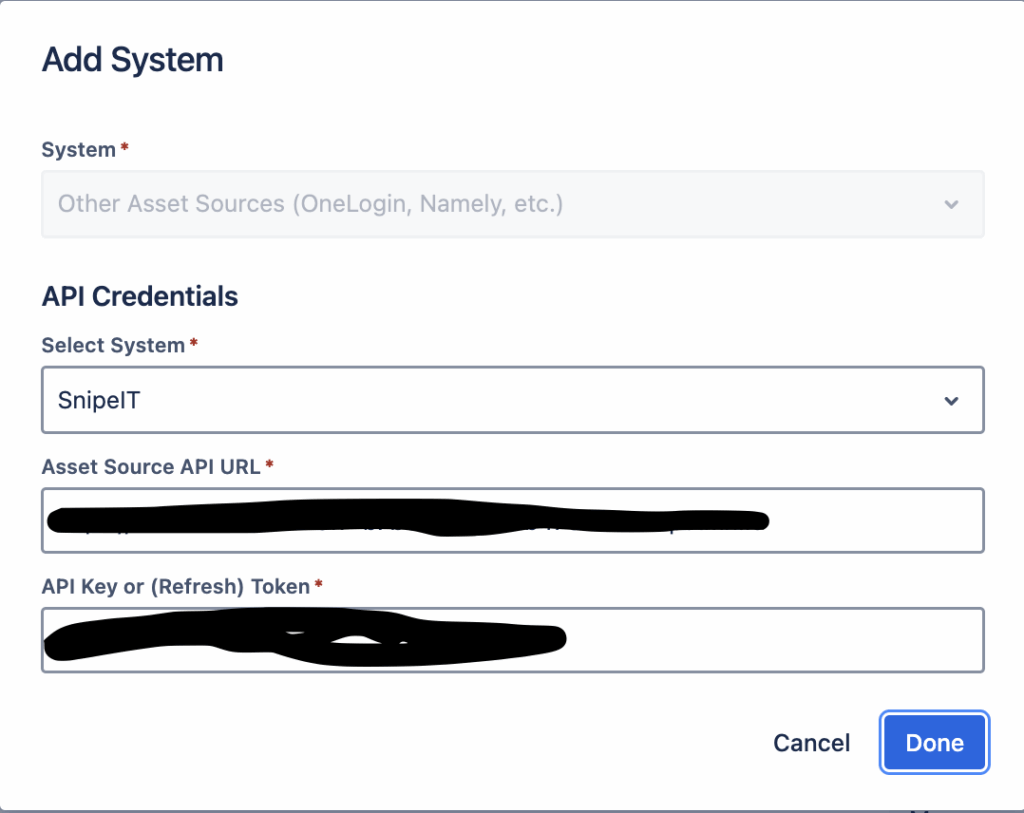
Click Add System
Choose Other Data Sources
Snipe-IT API Base URL
API Key
Save & test connection.
Go to Assets → Your Schema
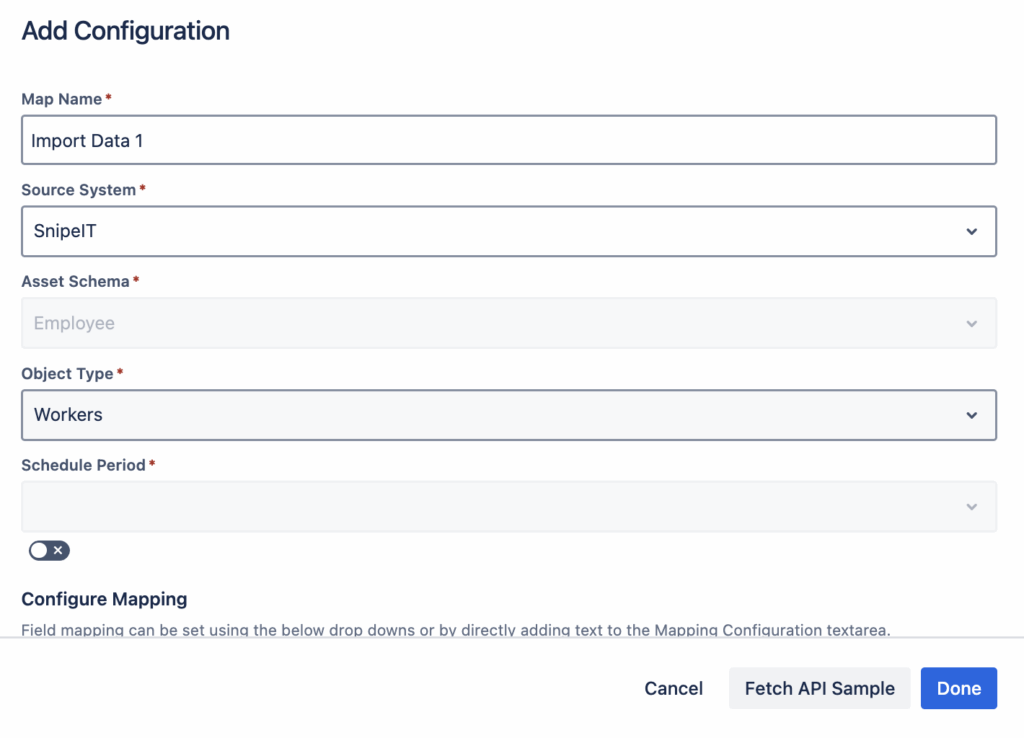
Create a new import configuration
Choose OnLink Importer
Select the object type you want to populate:
User
Device
License
Supplier
Custom Object
Mapping Snipe-IT User Fields (Example)
Inside OnLink’s mapping UI, configure:
key:id=id
map:first_name=First Name
map:last_name=Last Name
map:username=User Name
map:jobtitle=Job Title
map:phone=Phone
config:api=api/v1/users
Explanation of mapping items
Key/Map Item | Description |
|---|---|
key:id=id | Marks id as the unique identifier. Ensures updates vs duplicates. |
map:first_name=First Name | Maps the Snipe-IT field first_name to Assets attribute First Name. |
map:username=User Name | Maps Snipe-IT username to Assets User Name. |
config:api=api/v1/users | Tells OnLink which API route to call for this object type. |
Any field returned by the Snipe-IT API can be mapped using this pattern.

Mapping Asset/Device Fields (Example)
Common attributes to map:
Example
key:id=id
map:asset_tag=Asset Tag
map:serial=Serial Number
map:model.name=Model
map:manufacturer.name=Manufacturer
map:location.name=Location
config:api=api/v1/hardware
Yes. You can schedule nightly, hourly, or on-demand syncs to keep Assets up to date.
Yes. Any field returned by the API can be mapped, including nested fields.
Yes. Just change the config:api route and map the fields.
Yes. Using OnLink you can import from 50+ sources – Okta, Azure/Entra ID, Intune, Kandji etc to Assets. You don’t need multiple apps, just OnLink is all you need.
Absolutely. Once user→device relationships live in Assets, JSM Automation becomes extremely powerful.
If you want to easily sync Snipe-IT data into Assets — Users, Devices, Licenses, Suppliers, and more, please give OnLink a try and let us know your feedback.