
If you’re a Workday customer, you’ve probably heard the phrase “integrated with Workday” more times than you can count. Every vendor in the HR tech space claims seamless connectivity with the platform your business runs on. But there’s a newer phrase worth paying attention to: Built-on Workday.

The difference between these two isn’t just marketing. It’s legacy vs. doing it in a new way. It has real consequences for how your team manages data, security, and the day-to-day employee experience.
Let’s break it down.
For years, connecting a third-party application to Workday has meant building an integration i.e using middleware or custom code using APIs.
Most common integrations use SOAP and REST APIs. Workday’s SOAP API uses XML-based messaging. The REST API, which uses JSON, is more developer-friendly and works well for modern SaaS tools.
Beyond the core APIs, Workday provides Reports as a Service (RaaS), which lets teams package custom report data as callable endpoints. There are also Enterprise Interface Builder (EIB) files for batch data movement, Workday Studio for building more complex integration logic, and Cloud Connect packages that bundle pre-built connectors for common platforms like ADP, Salesforce, and Cornerstone.
For organizations that don’t want to manage integration code themselves, middleware platforms like Workato, MuleSoft, Dell Boomi, and others offer pre-built Workday connectors that abstract away much of the complexity.
All of these options serve a common purpose: moving data between Workday and an external system. And therein lies the fundamental limitation. No matter how elegant the integration, you’re still dealing with two separate systems. Each with its own data store, its own security model, and its own user interface.
In 2024, Workday launched the Built-on Workday program, built on top of the Workday Extend platform. The idea is straightforward but powerful: instead of connecting to Workday from the outside, certified partners like Onward can now build applications that run inside the Workday tenant itself.
Built-on Workday apps use the same data model, the same security framework, and the same UI components as Workday’s own features. For end users, a Built-on Workday app feels like a native part of the platform.
Here’s what makes this fundamentally different from a traditional integration:
The program has been gaining momentum. Partners like PwC, Hyland, Syssero, Onward and others are already building and distributing apps through the marketplace. And in late 2025, Workday expanded the ecosystem further with Workday Build, a unified developer platform that includes low-code tools and AI agent builders for creating new applications on the platform.
To understand the practical difference, consider a use case that nearly every Workday customer deals with: employee surveys.
Whether it’s onboarding feedback, annual engagement surveys, exit interviews, or manager effectiveness reviews, surveys are a staple of modern HR operations. And for Workday customers, running them has traditionally meant one of two things:
Option 1: Use a standalone survey tool and build a custom integration. You pick a survey platform e.g Qualtrics, SurveyMonkey, Culture Amp, or something similar — and then wire it into Workday. This typically involves using Workday’s API (SOAP or REST) to pull employee data into the survey tool, trigger survey distribution based on Workday events, and push responses back into Workday for reporting.
Option 2: Use middleware to connect the survey tool. Instead of writing integration code from scratch, you use a middleware platform with a pre-built Workday connector. This simplifies the technical lift, but the fundamental architecture remains the same: two systems, one bridge.
Both options work. Organizations have been running surveys this way for years. But they come with a set of persistent challenges.
This is exactly the kind of problem the Built-on Workday program was designed to solve.
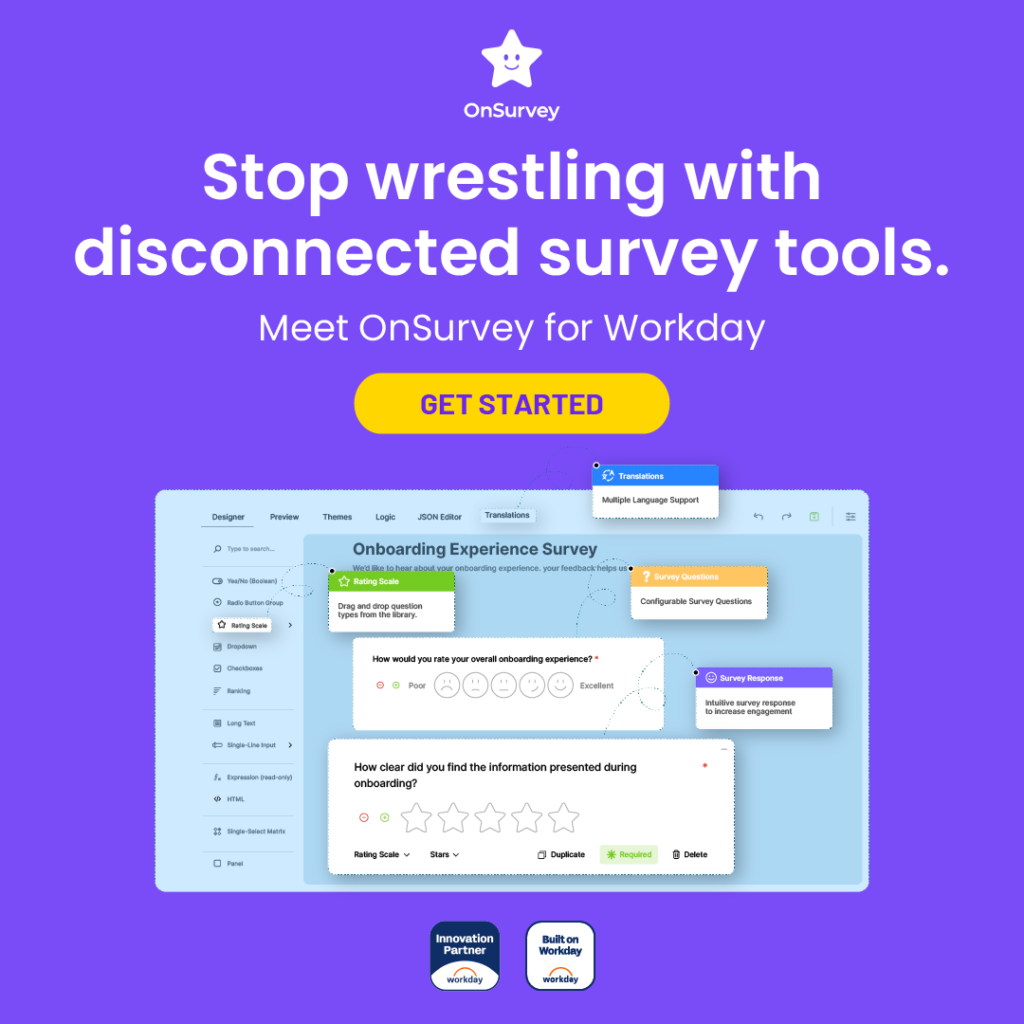
OnSurvey, built by Onward, is a Built-on Workday app purpose-built for employee surveys, forms, and feedback. OnSurvey runs natively inside the Workday tenant. Because it’s a Built-on Workday app, it sidesteps the entire integration challenge.
There’s no external system holding your survey data. No API bridge to build or maintain. No separate security model to configure. Surveys are created, distributed, completed, and analyzed entirely within Workday.
Here’s what that looks like in practice:
App admins and survey functional admins build surveys and templates directly within the Workday interface. No switching between platforms, no vendor portal.
Connect survey delivery to the events that matter. Trigger a new hire survey based on the employee’s start date. Send an exit survey when a termination workflow fires. Launch a manager feedback survey after a promotion event. The automation lives inside Workday’s business process framework.
Every survey response is tied to the respondent’s Workday worker record. That means you can analyze results by any workforce dimension e.g department, location, job family, tenure, manager.
Because the data lives in Workday, you can use the tools you already know: Workday Prism Analytics, custom reports, and worksheets. No need for a separate BI tool or data pipeline to make sense of survey results.
Survey response data is governed by the security policies already configured in your tenant. Access is controlled the same way it is for every other piece of sensitive employee data in Workday.
OnSurvey supports survey delivery through Workday notifications, email, and even directly within Slack meeting employees where they already work.
OnSurvey is subscription-based and available directly through Workday Marketplace, making procurement straightforward and aligned with your existing Workday relationship.
“Integrated with Workday” and “Built-on Workday” are not the same thing. Integration connects two systems. Built-on Workday eliminates the need for two systems in the first place.
For use cases like employee surveys where data sensitivity, automation, and employee experience all matter. A native app like OnSurvey removes the integration tax, keeps your data where it belongs, and gives your team one less system to manage.
If you’re a Workday customer evaluating survey tools, it’s worth asking a simple question: does this solution run inside Workday, or next to it?
Ready to see the difference and OnSurvey in action? Explore OnSurvey on Workday Marketplace and see how Built-on Workday apps are changing the way organizations collect and act on employee feedback.