
Employee annual surveys are one of the most powerful tools organizations have to understand engagement, culture, and what truly drives performance. When done right, they help leaders make better decisions, improve retention, and build trust by showing employees that their voices matter.
OnSurvey helps organizations run employee annual surveys end-to-end inside Workday. From survey creation and secure distribution to analysis and action, all within Workday.
Employee annual surveys are organization-wide questionnaires designed to capture how employees feel about their work, leadership, growth opportunities, tools, and overall experience. Most organizations run them once a year to establish a consistent baseline and track trends over time.
Organizations use annual surveys to:
The real value of an annual survey isn’t the score—it’s the decisions it enables. The most effective organizations use survey insights to prioritize actions, track progress, and communicate transparently with employees.
HR practitioners highlighted the following challenges with existing solutions (e.g., Qualtrics, Survey Monkey, Lattice, Glint):
Disconnected Data: To send a survey via a third-party tool, HR must export a CSV of employee data (names, emails, cost centers, managers) from Workday or use a API based integration.
Context-Free Analysis: External tools don’t “know” your org structure. You cannot easily slice survey results by Matrix Manager, Supervisory Organization, or Compensation Grade without complex manual data mapping.
Multiple Security Policies: Annual surveys involve sensitive feedback. Managing who can see what—while protecting anonymity—is complex and often error-prone. Redoing the security policy in third party tools to ensure data compliance is duplicative work.
OnSurvey addresses these challenges by being built natively on the Workday platform. Unlike bolt-on solutions, OnSurvey stores all sensitive survey response data within your Workday tenant, governed by Workday’s robust security policies.
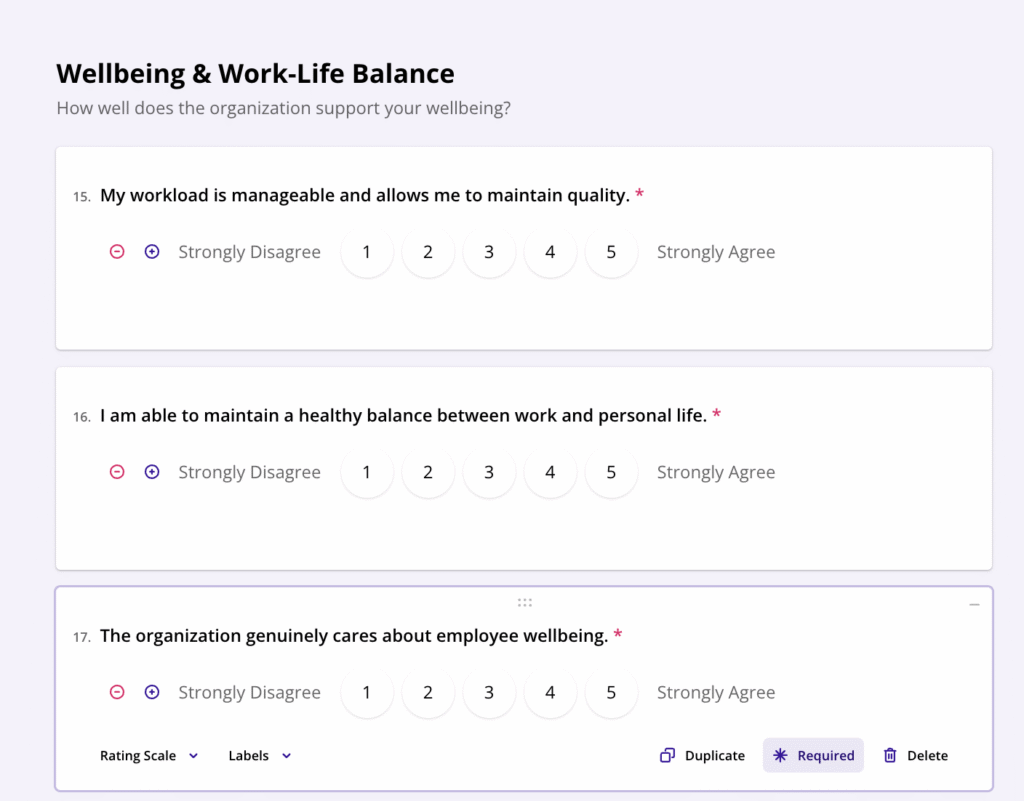
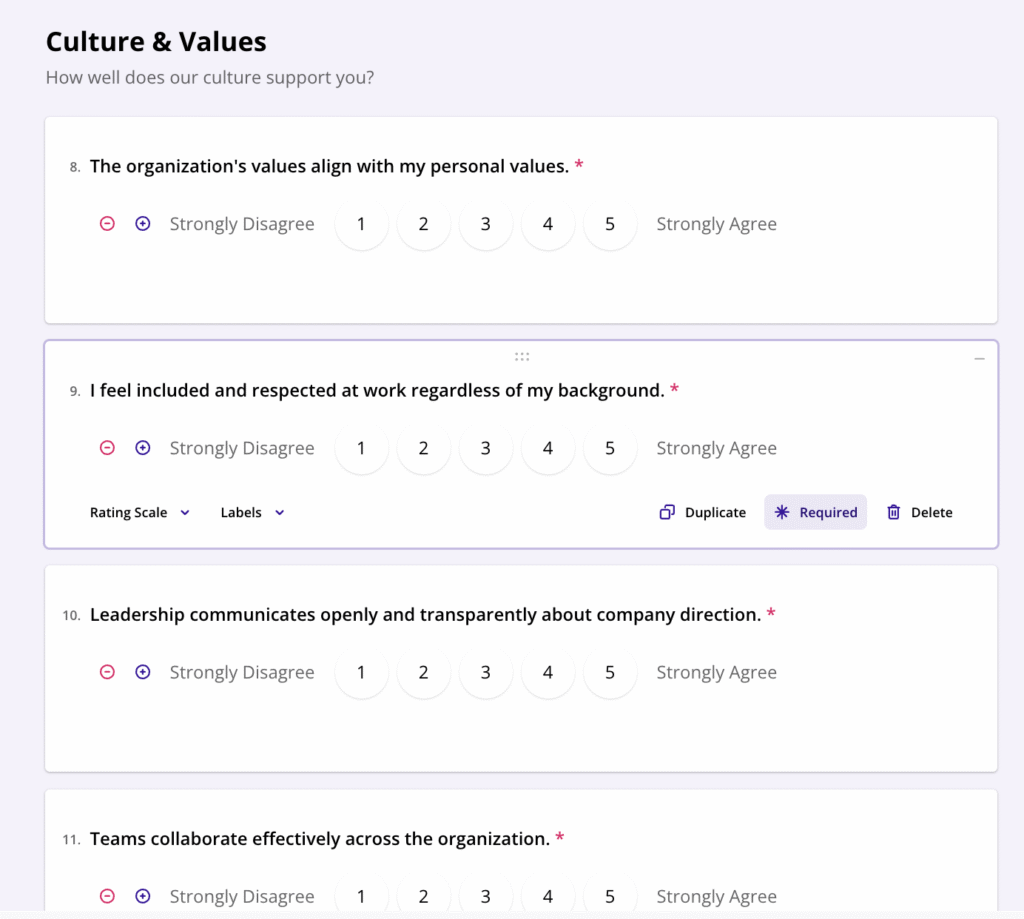
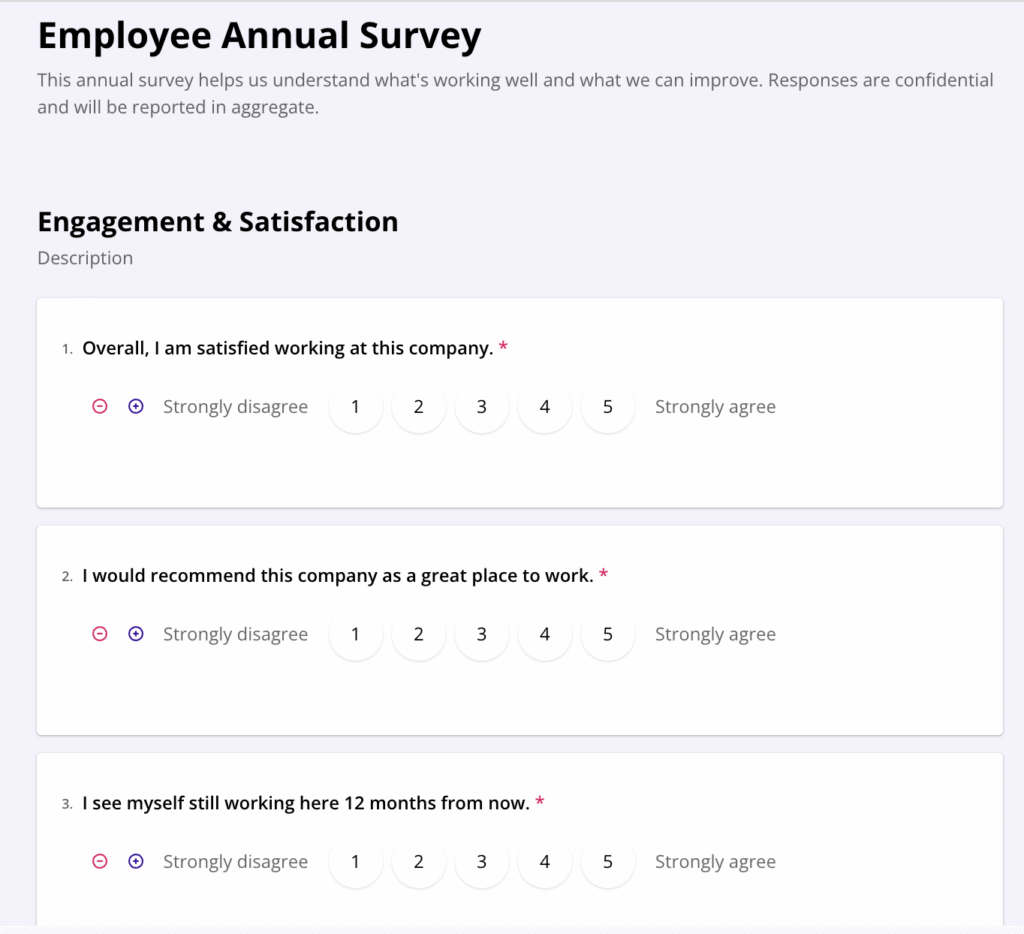
A well-designed annual survey balances depth with focus. OnSurvey supports structured survey design with reusable templates and question libraries.
Typical annual survey sections include:
Low response rates plague traditional survey tools. OnSurvey addresses this by delivering surveys through the channels employees use daily.
Employees receive survey notifications and complete surveys directly within Slack. The native experience eliminates context-switching, driving higher completion rates. Install the OnSurvey app for Slack through the authorization link in your OnSurvey web app settings. OnSurvey is available in the Slack Marketplace.
Install OnSurvey from Microsoft’s marketplace, then configure through the Teams admin center. Add the app to your setup policies to ensure automatic deployment across your organization. OnSurvey is available in the Microsoft Marketplace.
For organizations where employees regularly access Workday, surveys appear as inbox tasks. Configure the OnSurvey Action business process to route surveys through Workday’s native notification system.
OnSurvey sends emails from a configurable sender address.
Because survey data lives in Workday, analysis leverages tools HR teams already know.
Create an Advanced Custom Report using the “Survey Responses” Data Source. Add filters to share responses for specific surveys, apply security policies, and join with any Workday data—employee demographics, organizational hierarchy, compensation, or performance.
Use standard and custom reports to track:
Engagement trends over time
Participation rates by segment
Heatmaps by org, location, or role
For organizations using Prism, survey responses become another data source for sophisticated visualizations and cross-functional analysis. Combine engagement scores with turnover data, correlate satisfaction with performance ratings, or segment results by any organizational dimension.
Blend survey data with:
Attrition and retention metrics
Performance and mobility data
Learning and development outcomes
Workday Worksheets provide a familiar spreadsheet-like interface for ad-hoc analysis. HR practitioners can pivot, filter, and explore survey data without requiring specialized analytics skills.
Employees who feel heard are more engaged. Demonstrate that their voice matters:
Ready to transform your employee survey program? OnSurvey provides enterprise-grade survey capabilities native to Workday, eliminating integration headaches while leveraging your existing security and analytics infrastructure.
OnSurvey is now available on the Workday Marketplace. Request a Demo.
OnSurvey is built-on Workday app, ensuring your sensitive survey data never leaves your workday tenant while providing the flexibility and analytics capabilities modern HR teams demand.